SEO, or search engine optimization, isn’t just about getting more people to visit your website. It’s about growing your business in a way that lasts. A good SEO strategy helps your website show up on Google, brings in the right visitors, and builds your authority in your field. Sounds important, right? But how do you start?
This guide will show you a 14-step process to create an SEO strategy that works.
What is an SEO Strategy?
An SEO strategy is a plan to help your website rank higher on Google and bring in more traffic without paying for ads. It includes things like keyword research, creating helpful content, improving pages on your site, and technical SEO (fixing website issues).
What’s the goal? To make sure your website answers the exact questions your audience is searching for. This is called meeting search intent. When your pages help people find what they need, Google is more likely to show them.
Ready to build your strategy? Let’s break it down step by step.
1. Identify Target Keywords

Every great SEO strategy starts with keyword research. But what does that mean? It’s easier than it sounds. Keywords are the words or phrases people type into search engines when they’re looking for something.
Think about it. When you’re searching for a new recipe or the best running shoes, what do you type into Google? Those words are keywords.
Now, if you owned a business, wouldn’t you want to know what your customers are searching for? That’s the point of keyword research. It shows you the words people use so you can make it easier for them to find your website.
Using the right keywords gets your site noticed. When more people find your site, they visit it. More visits mean more chances to grow your audience and your business.
Google Suggest
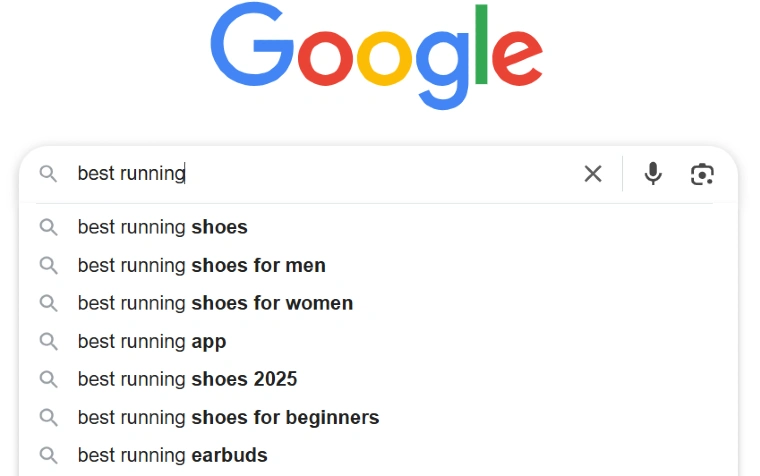
Want an easy way to find keywords? Try Google Suggest. Start typing any question or phrase into Google’s search bar. It will show you popular terms people are searching for.
You can also use tools like Ubersuggest, Ahrefs, or Google Keyword Planner. These tools help you see how often people search for a keyword (search volume) and how hard it is to rank for it (competition).
Choose keywords with a high search volume but low competition to boost your chances of being found online. Simple, right?
2. Analyze What Ranks on the First Page of Google
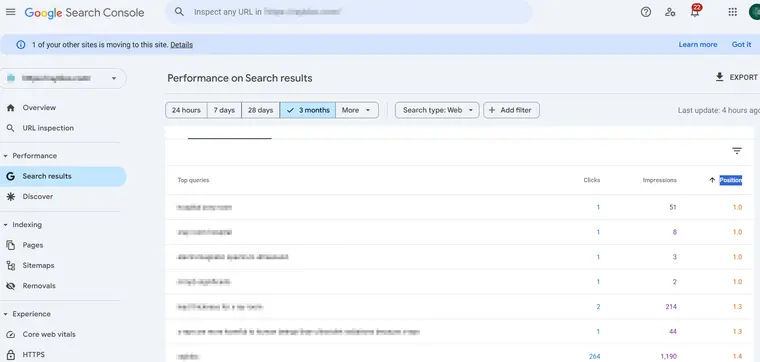
Once you’ve picked out your target keywords, the next step is to check what’s already ranking on the first page of Google. Use tools like Google Search Console to see which content is performing well. Then, ask yourself a few key questions to figure out why it works:
- What format is Google favoring? Are listicles, how-to guides, or case studies standing out?
- How much detail is in the content? Is it packed with useful information or just scratching the surface?
- Does it include visuals, like images, infographics, or even videos?
Understanding your competition’s content gives you a clear idea of what Google values. Basically, it’s like studying a cheat sheet for what works.
For example, at Visibility SEO, we once worked with a client in the fitness industry. They wanted to rank for “best home workouts.” When we analyzed the top search results, we noticed most of the top-ranking pages were detailed listicles with easy-to-follow instructions, workout videos, and images of exercises. So, we created something similar but better—more exercises, quick tips, and even a downloadable workout calendar. Guess what? It worked! We climbed to the top of the search results within a few months.
So, don’t just guess what to write. Study what’s already winning. Then, use that knowledge to build something even stronger. It’s not about copying—it’s about improving.
3. Analyze Your Competitors’ SEO Strategies

Competitor research isn’t just about watching what others are doing. It’s about figuring out how to do it better and smarter. Let’s break it down step by step.
Identify Your Competitors
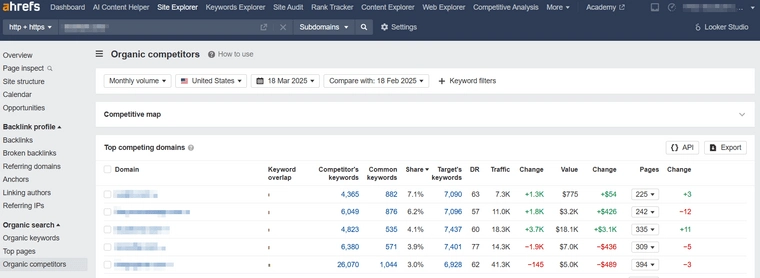
Who’s showing up when you search for the keywords that matter most to you? Think about the words people use when looking for what you offer. Tools like SEMrush or Ahrefs can help you find out who your real competition is. You need to know who you’re up against before you can start winning.
Find Your Competitors’ Valuable Keywords
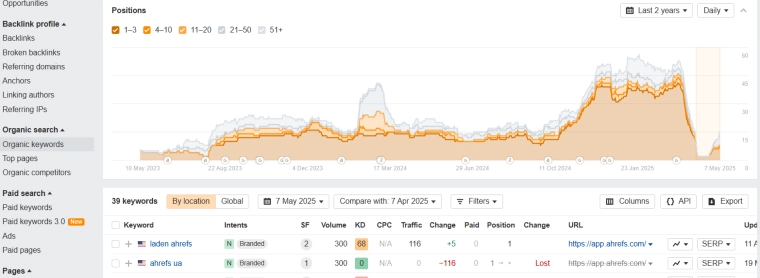
What keywords are driving traffic to their websites? Tools like the ones above can show you. These are the words people type into Google to find them. Why start from scratch when you can learn from what’s already working? Find the keywords they’re using and make a plan to optimize your own content. You don’t need to copy them, but you can find gaps they might be missing.
Audit Your Competitors’ Backlinks
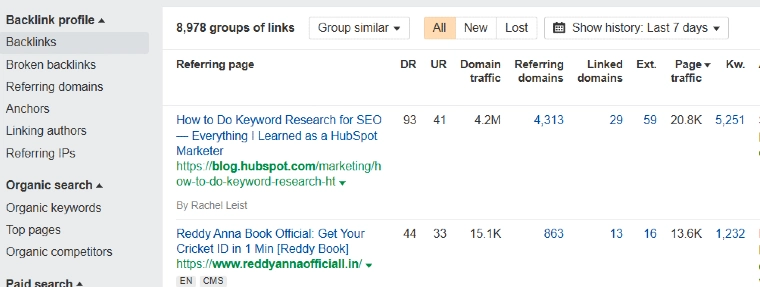
Where are they getting their backlinks? Backlinks are links from other websites to theirs, and they can really boost their rankings. Are those sites credible? Could they link to your site instead—or as well? Building high-quality backlinks is key to improving your domain authority. Stronger authority means you have a better chance of ranking higher than your competitors.
Competitor research isn’t just a task—it’s a strategy. Learn from them. Outsmart them. Then go do it better.
4. Create Something Different or Better
To outrank high-ranking content, your content needs to offer more value. What does this mean? It means answering questions better than anyone else. It means sharing unique facts, data, or ideas. It could even mean using visuals like infographics or charts to explain things clearly.
The goal? Create content that’s 10 times better than what’s already out there. Make it deeper, more helpful, or more creative.
5. Write for Humans First and Search Engines Second
Writing just for search engines is tempting. But don’t forget who you’re really writing for—people. Your readers want content that’s easy to understand and solves their problems.
Here’s how to do it:
- Use simple, conversational language.
- Answer questions directly and clearly.
- Don’t stuff too many keywords into your content—it looks unnatural.
When you focus on writing for people, they’ll stay on your page longer and interact more. And guess what? That makes search engines happy too.
6. Focus on User Experience (UX)

Your website has to be fast and simple to use. Why? Because if it’s slow or hard to figure out, people won’t stick around. And when they leave quickly, your site’s ranking can drop.
Here’s how to fix that:
- Make sure your site works on phones and tablets.
- Speed it up by getting rid of stuff you don’t need.
- Keep the layout clear so people can find things easily.
Think about it—when people like your site, they stay longer. And guess what? Google notices. Wouldn’t it be worth the effort to make that happen?
7. Focus on Building Relevant Links
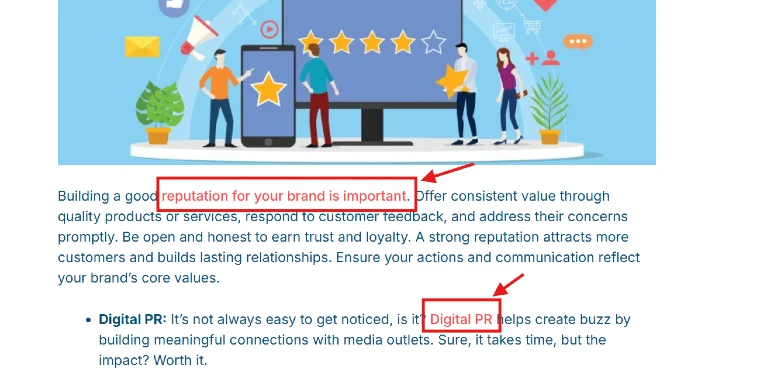
Links from other sites tell Google, “Hey, this content is trustworthy!” But not all links are created equal. You want links from good, reputable sources—not spammy ones.
How do you get those valuable links?
- Write guest posts for trusted websites in your field.
- Build relationships with influencers or bloggers who can share your content.
- Create original research, cool tools, or unique content that people want to reference.
Remember, it’s not about having a ton of links. A few high-quality links are way better than a hundred bad ones. Quality beats quantity every single time.
8. Optimize Content for Featured Snippets
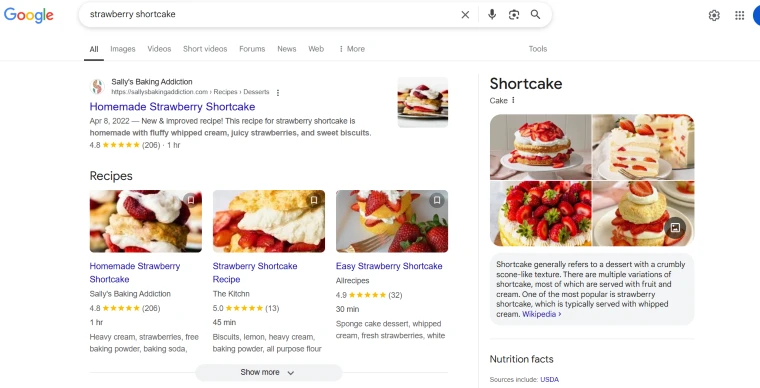
Featured snippets appear above organic search results and steal the show. They’re often the first thing people see on Google, and they grab the most attention. Want to land that prime spot? It’s all about optimizing for “position zero.”
Tactics for Snippet Optimization:
- Answer the targeted query within the first 100 words. Google loves clear, direct answers. If you can address the question right away, you’ve got a better shot at ranking higher.
- Use numbered or bulleted lists. People (and search engines) love organized information. Lists make it easier to understand complicated topics quickly, which is exactly what Google wants to show.
- Format detailed answers in clear headings. Use simple, bold headings to break up your content. This makes it easier for readers to find what they’re looking for—and for search engines to understand your page.
9. Optimize for On-Page SEO

On-page SEO is about improving your web pages for both search engines and people. Think of it as giving your site a boost so it performs better.
Things to Include:
- Title Tags: These are like headlines for your page. Make them short (under 60 characters) and include your keywords. A clear title helps search engines and readers understand your page.

- Meta Descriptions: This is the small text that appears under your link in search results. Add keywords and keep it under 155 characters. Write it in a way that makes people want to click.
- Headings: Use H1 for your main title and H2s or H3s for subheadings. Headings make your content easier to read and help Google understand your page.
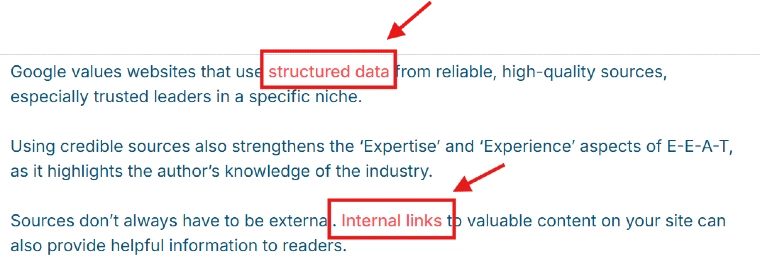
- Internal Links: Link to pages within your site. This keeps visitors exploring your content longer, which is great for SEO.
- URL Slugs: Keep your URLs short and clear. Include your keywords. For example, use “/seo-tips” instead of “/page1234.” Clean URLs are easier to remember and look better.
10. Identify and Resolve Technical Optimization Problems
Technical SEO is like fixing your site’s foundation. If your site doesn’t work well, people (and search engines) won’t stick around.
Common Issues to Fix:
- JavaScript: Make sure it doesn’t block important content. If Google can’t read it, your page won’t rank well. Use tools to check what search engines see.
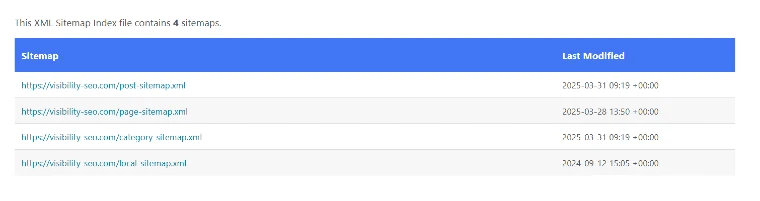
- XML Sitemaps: These act like maps for your site. Keep them updated so search engines can find all your pages easily.
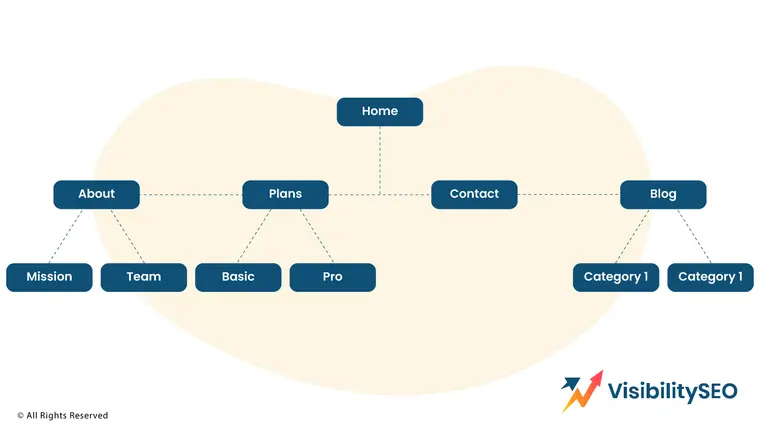
- Site Architecture: Keep it simple. Every page should be reachable within three clicks from the homepage. Clear structure helps both users and search engines.
- URL Structure: Avoid long or messy URLs with random numbers. Use short and descriptive ones with your keywords.
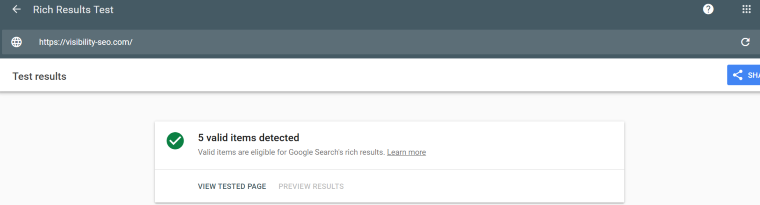
- Structured Data: Add extra info using schema markup. This makes your site show rich results, like star ratings or recipe cards, on Google.
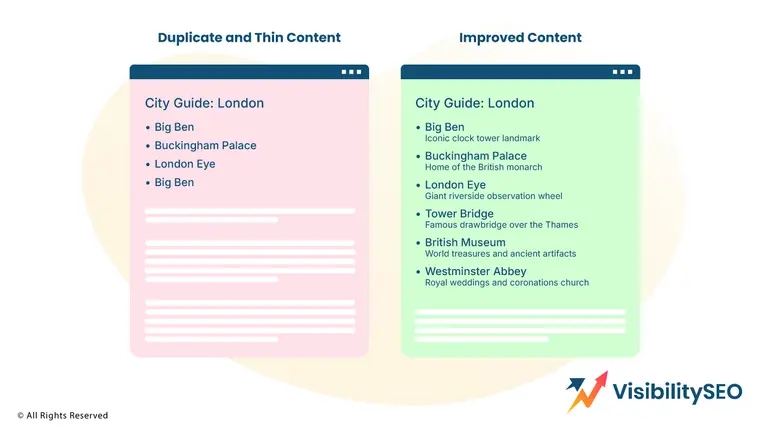
- Thin Content: Pages with little useful info don’t rank well. Combine or improve them so they offer real value to readers.
- Duplicate Content Don’t let the same content appear on multiple pages. It confuses search engines. Fix this by merging pages or using canonical tags.

- Hreflang: Have content in different languages? Use hreflang tags to tell search engines which version to show in specific countries.
- Canonical Tags: Use these to show search engines the main version of a page. This avoids ranking issues with similar content.

- 404 Pages: Fix broken links that send users to error pages. Too many 404s hurt SEO and make people leave your site.
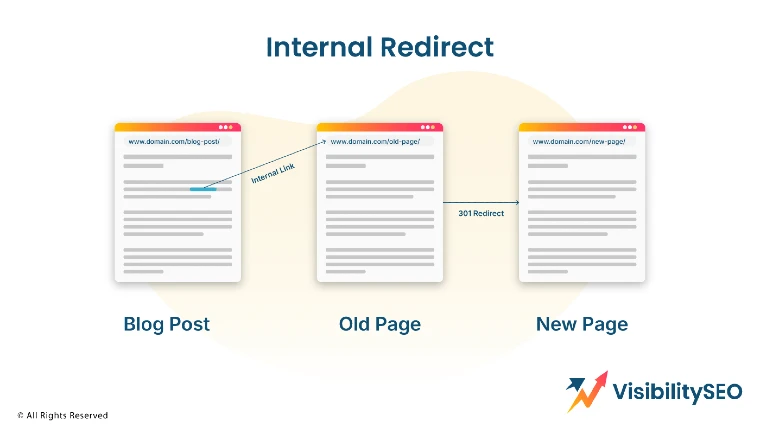
- 301 Redirects: If a page is moved or deleted, use a 301 redirect. It sends users to the new page while keeping your site’s traffic and SEO intact.
11. Improve and Update Your Content

Consistently revisit and enhance your existing content. Over time, information gets old, and stats become outdated. Fixing these things can make a big difference. Update facts, add new details, and restructure your old blogs to make them useful again. Fresh content keeps readers interested and improves your website’s performance.
12. Remove Unnecessary Elements That Delay Your Site
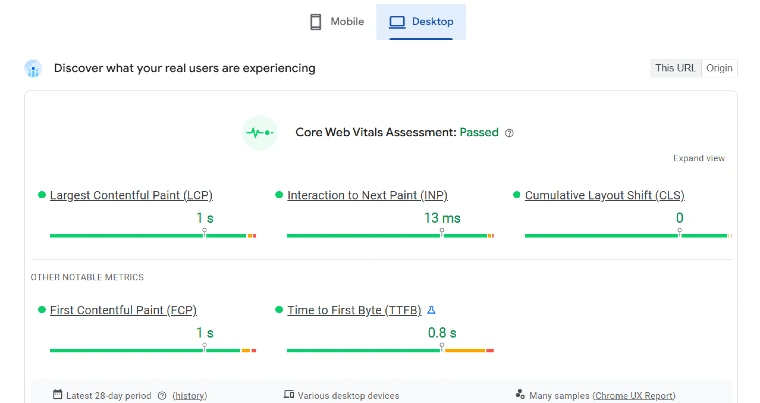
Is your site running slow? Large images, too many plugins, or endless ads could be the problem. These things frustrate visitors and make them leave. You can use tools like Google PageSpeed Insights to figure out what’s slowing your site down. Once you know, get rid of anything unnecessary. A faster site means happier users.
13. Stay Updated on Google Algorithm Changes

Google changes its rules often—did you know that? These updates decide which websites show up higher in search results. Staying informed helps you avoid surprises. Regularly check for updates and adjust your website to follow the new rules. It’s like playing a game where the rules keep changing, and you need to stay ahead to win!
14. Audit Your Site’s Existing Content
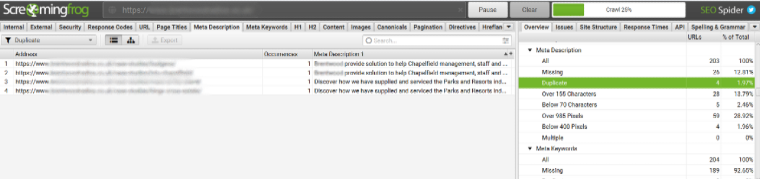
Not all old content is bad. Some just need a little fixing up to shine again. Look through your website and find pages or blogs that aren’t doing well. You don’t always have to start from scratch!
Find Low-Performing Pages
How do you know which pages need work? Look for ones with low traffic, fewer shares, or high bounce rates (where people leave quickly). These are signs that something’s not clicking with readers.
Improve and Relaunch Content That Can Be Salvaged
Once you find those pages, don’t throw them away. Add better headlines, improve writing, or include fresh images. Sometimes, a few small changes bring big results. Relaunch the content and give it a second chance. You might be surprised how much better it performs!
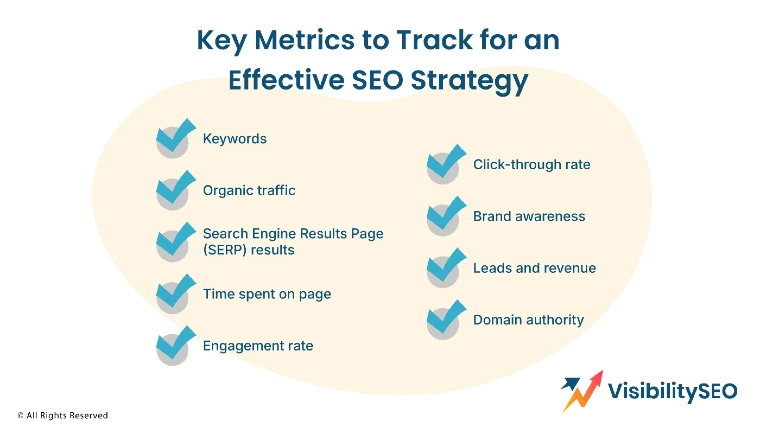
Key Metrics to Track for an Effective SEO Strategy
Understanding how well a website performs is super important, especially if you want more people to visit it. There are many ways to measure success online. Let’s break it down step by step:
- Keywords – Keywords are the words people type into search engines to find information. If your website has the right keywords, it’s easier for people to find you. Are you using the ones your audience is searching for?
- Organic traffic – This is the number of visitors who come to your website without clicking on ads. If organic traffic is growing, it means more people are discovering your site naturally—an awesome sign!
- Search Engine Results Page (SERP) results – Ever wonder why some websites show up first on Google? That’s the SERP at work. Ranking higher means your site is trusted and useful to searchers.
- Time spent on page – How long do people stay on your website? If they leave quickly, maybe the content isn’t interesting or helpful enough. The longer they stay, the better.
- Engagement rate – This measures how much people interact with your site. Are they clicking buttons, commenting, or sharing content? High engagement means your site is connecting with its audience.
- Click-through rate – This is the percentage of people who click on your link after seeing it in search results. A low click through rate could mean your headline isn’t catchy enough.
- Brand awareness – How well do people know your name? If your website is increasing brand awareness, more people will recognize and remember you. It’s like building trust over time.
- Leads and revenue – A great website doesn’t just get visitors—it helps your business grow. Are people signing up, making purchases, or contacting you? That’s what really matters.
- Domain authority – This is a score that shows how trustworthy and strong your website is compared to others. Higher domain authority makes it easier to rank on Google. It’s like your online reputation!
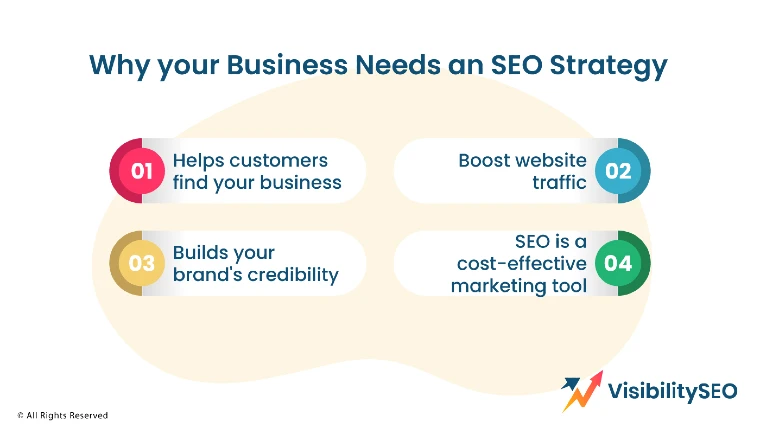
Why Your Business Needs an SEO Strategy
An SEO strategy helps your business get noticed online. Imagine having a great product or service, but no one can find it. That’s where SEO comes in. It’s like a map that leads people straight to you when they search online. Without it, your website might get buried under thousands of others. SEO also builds trust and makes your website stronger over time. Who doesn’t want more customers? If your business wants to grow, having an SEO plan is not an option—it’s a must.
Key Benefits:
- Helps customers find your business.
Ever wondered how people discover new places to shop or services to use? If your business shows up on Google when they search, you’re way ahead. SEO helps you get noticed.
- Builds your brand’s credibility through authority.
When your website shows up at the top of search results, people trust it more. They think, “Oh, this must be a reliable business.” Over time, that trust grows.
- Boosts website traffic without paid ads.
Tired of spending money on ads that might not work? SEO brings people to your site for free. More traffic means more chances for sales, without breaking the bank.
- SEO is a cost-effective marketing tool that offers long-term ROI.
Unlike ads that stop working when you stop paying, SEO keeps giving back. It takes time to set up, but once it’s done, the benefits last for years.

Create a Strategy That Supports Business Goals
Mastering SEO is a mix of strategy and creativity. It’s not just about keywords—it’s about making your website helpful and easy to find. The key? Keep improving. Test what works, track your progress, and stay focused on giving people value. Wondering where to begin? Start simple. Tools like Google Search Console or beginner friendly SEO platforms can guide you. They help you see what’s working and what’s not. We’re here to help you take those first steps. Let’s grow your website’s reach together, one step at a time.
FAQs
What is the SEO strategy model?
An SEO strategy model is a plan to help websites show up higher in search engine results. It’s like a guide that includes things like picking the right keywords, creating good content, and improving website speed. The goal? To make it easier for people to find your site when they search online. Without a strategy, your website might get buried under millions of others.
What do the current search results reveal about user intent for your target keywords?
Search results show what people are really looking for when they type in specific words. Are they searching for quick answers? Products to buy? Maybe step-by-step guides? By understanding this, you can create content that matches what they want. If you don’t, they’ll click on someone else’s site instead of yours. That’s why it matters.
What role does mobile optimisation play in your local SEO strategy?
A huge one! Most people search on their phones now. If your website isn’t easy to use on a small screen, they’ll probably leave. Mobile optimization means your site loads fast, looks good, and works well on any device. For local searches, like “pizza near me,” Google favors mobile-friendly websites. So, if you want people nearby to find you, mobile optimization is a must.

- SEO Consultant vs SEO Agency – What is the Difference? - June 25, 2026
- FAQ Schema: A Simple SEO Trick for Better Visibility - December 20, 2025
- What Is YMYL and Why It Matters for SEO? - December 16, 2025