Google Ads is an online advertising medium where businesses can advertise their product or services on Google’s network. You can say it is similar to renting space as opposed to renting shelves in a store; here, you are placing ads in search results, videos, and other websites. Google can show ads that are relevant when someone searches for something or browses the web. It is dependent on the user’s search terms and online behavior.
What are Google Ads?
Google Ads is a marketing service where you pay for placing ads on Google Search and partner sites, and YouTube. The system is based on the PPC model, so you will only have to pay when a user clicks on your ad. Different types of ads are available: text, image, or video, which appear wherever people spend their time and activities are carried out in the online world, including mobile apps and video content.
It means that companies can touch everywhere in the globe around the world in the presence of the internet. Brands target their customers through a common linkage based on what he is looking for or what they like.
Google Ads is a flexible platform that allows advertisers to define their own budgets, choose where and when the ads run, and analyze in-depth performance metrics. If you want to get more traffic or improve online sales, Google Ads lets you set up a campaign geared solely toward those results. It can bring great engagement and grow your business if approached well.
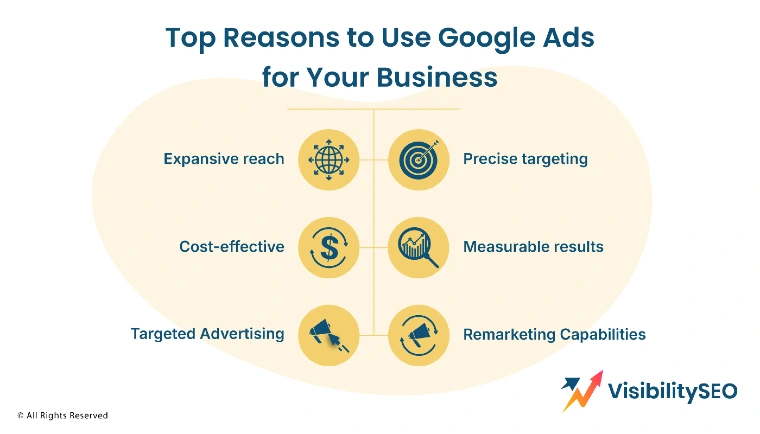
Top Reasons to Use Google Ads for Your Business
On Google Ads, an advantage lies in getting your brand noticed and speaking to the masses. It provides precision and control: You choose who sees your advertisements, how much you spend, and when to adjust those campaigns while they’re running. Thus, Google Ads is relied upon by businesses the world over to improve their performance, reach the right audience, and achieve measurable results.
- Expansive Reach: Google is one of the most visited websites in the world. Millions of people use its browser daily. When you use Google Ads, you tap into that massive audience. You can place your message on search results, in apps, and even in YouTube videos. This gives your business the chance to be seen by users no matter where they are. For example, a user searching for shoes might see your ad before clicking on a competitor’s website.
- Precise Targeting: Google Ads lets you pick exactly who should see your ads. You can choose based on age, gender, interests, or even the device someone is using. This means you’re not wasting money showing ads to people who won’t care. Instead, your ads go directly to people most likely to buy. If you want to show an ad to people only in certain places, you can. It’s that targeted.
- Cost-Effective: With Google Ads, you control how much you spend. You can start small and grow over time. There’s no need to worry about paying too much because you set your daily budget. You only pay when someone clicks on your ad. So if no one clicks, you don’t spend money. It’s a smart way to manage your money while getting results.
- Measurable Results: One of the best things about Google Ads is that you can track everything. You can check how many people clicked your ad or find out how many purchased in your store. With tools like Google Analytics linked to your Google Ads account, you can see what works and what doesn’t. That means you can make changes to improve your results.
- Targeted Advertising: With Google Ads, you can advertise based on keywords people search. That means your ad appears exactly when someone needs your product. For example, if someone types “free design tools,” and you offer those, your ad could appear. That kind of timing helps boost your conversions and performance. It’s smart, simple, and effective.
- Remarketing Capabilities: If you’ve seen an ad for the site you’ve visited, that’s what you call remarketing. Google Ads can help you do this. It reminds people who have visited your site to come back. It works well because those people have already shown interest. This way, you get a second chance to make a sale.

Types of Google Ads
Google Ads isn’t just one kind of ad. There are different types, and each has its purpose. Depending on your goal, you can pick the type that works best for your campaign. Some ads work best for selling products. Others help grow your brand or bring more people to your website.
1. Google Search Ads
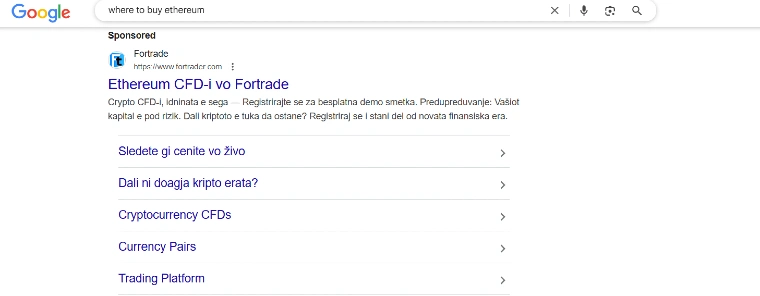
These are the ads you see at the top of Google search results. When someone types something into the search box, these ads show up. They look like regular search results but have a small “Ad” label. These are great for people who already know what they want. They’re also helpful for businesses that want quick results. You can get noticed at the exact moment someone is looking for your service.
- Title & Description: Each ad has a title and a short description. These tell users what the ad is about. You want these to be clear, simple, and direct. For example, “Buy Running Shoes – Free Shipping Today” tells you exactly what you’ll get if you click. A strong title and helpful description make people more likely to click.
- Ad Assets: Ad assets are extra details you can add to your ad. These might include a phone number, address, links to parts of your site, or a call to action. Adding assets helps people find what they need faster and boosts your chances of getting clicks. They make your ad more useful and more effective.
2. Google Display Ads
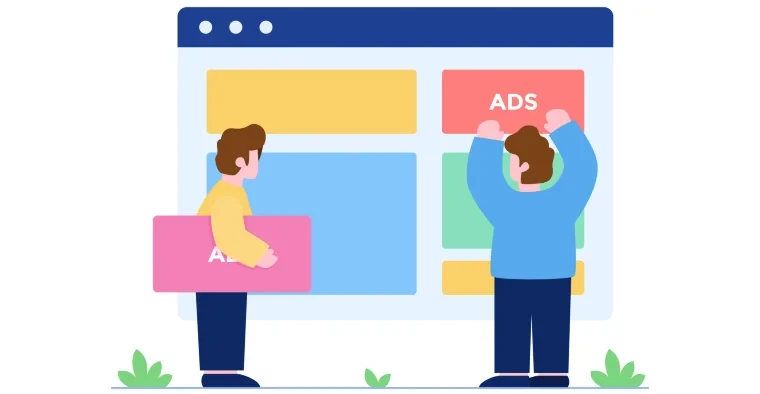
Display ads are shown on websites and apps in the Google Display Network. They often include images or animations. These ads are great for raising brand awareness. They reach people while they are browsing content, not just when they’re searching. It’s a good way to stay in front of potential customers. You can also use eye-catching visuals to leave a strong impression. These ads help remind people of your brand even if they don’t click right away.
3. Google Shopping Ads
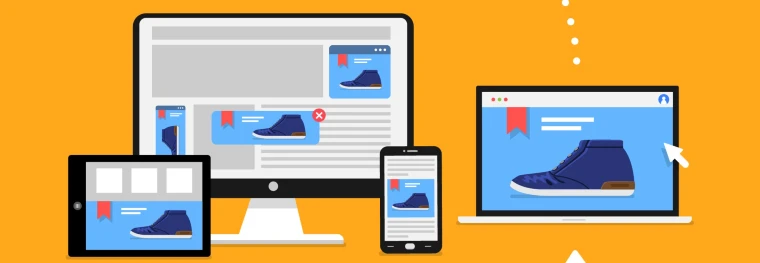
Shopping ads show product pictures, prices, and store names. These show up when people search for specific products. For example, searching “blue Nike shoes” might bring up pictures of that shoe from different stores. This makes it easy for users to compare prices and click straight to your page. They also allow you to feature your product directly in the search results. These ads are perfect for online stores looking to increase product sales.
4. Google Video Ads
These ads show up on YouTube and other video platforms. They can play before, during, or after videos. You can use them to share your story or promote your product with visuals and sound. A strong video ad can grab attention quickly and leave a lasting message. You can target people based on what they watch. This lets you reach the right audience at the right time.
5. Google App Ads
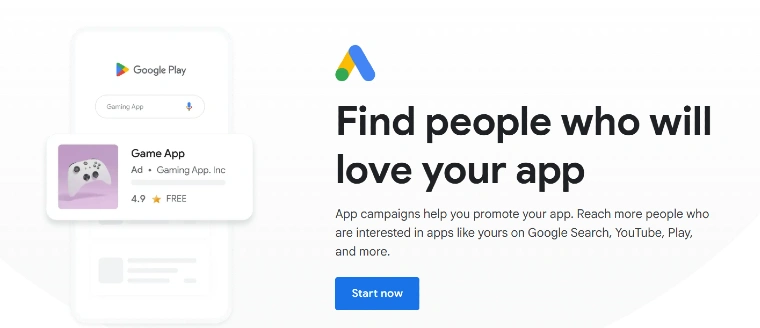
These ads help promote your mobile app. They show up on Google Search, YouTube, Google Play, and more. You don’t need to design many versions. Google uses your content and automatically adjusts ads for the best results. This is perfect if you’re trying to get more people to download and use your app. These ads reach people already interested in apps like yours. It saves you time while helping you grow your users faster.
How Does Google Ads Work?
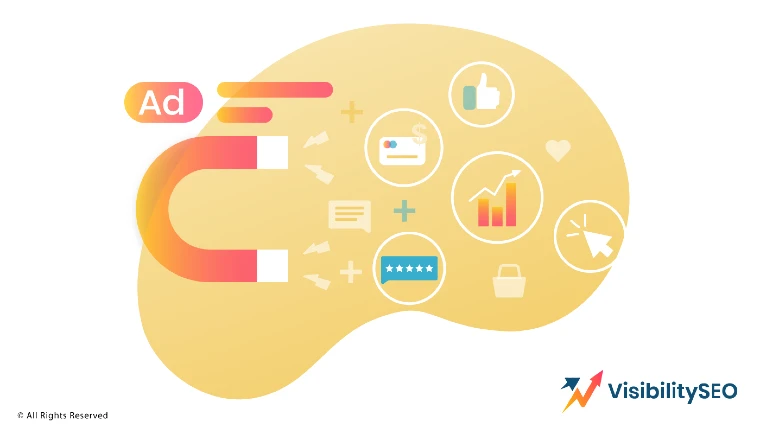
Google Ads uses an auction system. You pick keywords, write ads, and place bids. When someone searches, Google checks all the ads and decides which ones to show. It’s not only about who bids the most. Quality and relevance matter too. That means even a small advertiser has a fair shot.
Setting Up a Google Account
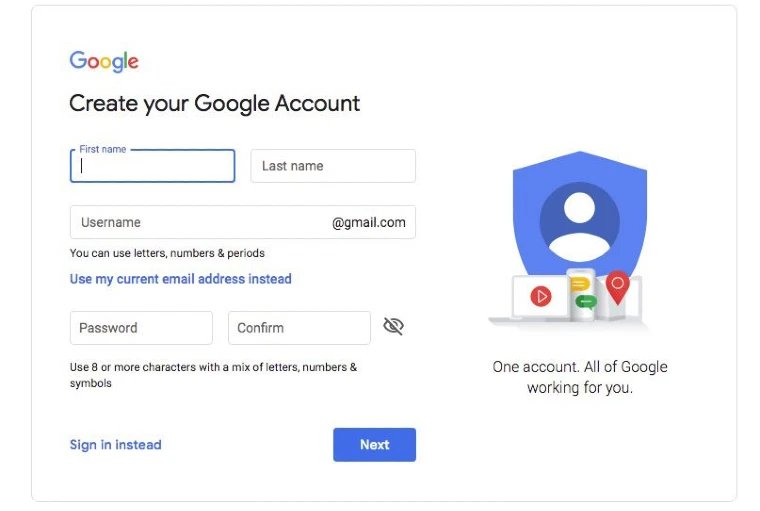
To start, you need a Google account. If you use Gmail or YouTube, you already have one. If not, it’s easy to create. Once you’re in, go to Google Ads and sign up. Follow the steps to start your first campaign. Having a Google account also lets you link other services like Analytics for better tracking. You’ll use this account to manage everything: ads, billing, settings, and more. Keep your login details safe so you don’t lose access. A single account can handle campaigns for one site or several, depending on your setup.
Creating a Google Ads Campaign
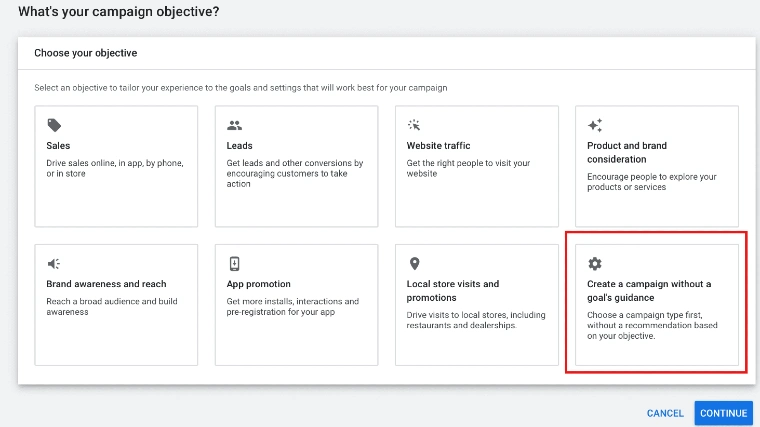
A Google Ads campaign is the plan you follow to promote your business. You pick a goal, choose your settings, and create ads. Then, Google helps show them to the right users. Here’s how to build your campaign step-by-step.
Step 1: Define Your Goal
Determine if you want more sales, site visits, or app downloads. Pick one goal that matters most. Your goal will guide the rest of the setup. It helps Google understand who to show your ads to.
Step 2: Choose the Campaign Type
Pick a campaign type that matches your goal. Know if you aim to add more traffic to your search results or if you want to raise your brand awareness. Pick a search campaign, display a video, or provide shopping campaigns if you’re selling products. Each type works differently and fits different needs.
Step 3: Select Your Campaign Settings
Choose your location, language, and audience. You can target your audiences no matter where they are located. You can also set when and where your ads will appear. These settings help make your campaign more focused and effective.
Step 4: Define Your Ad Group and Keywords
Ad groups organize your ads by topic. Inside each group, you choose keywords. These are the words or phrases that people might search. When someone types in those words, your ad can show. Choose words that match your products and services.
Step 5: Design Your Ads
Write simple, clear, and helpful ads. Include a title, description, and a link to your page. Use the right tone and mention what makes your offer special. Add images or videos if your campaign type allows. Make your ads stand out.
Step 6: Review and Launch
Check everything before you go live. Look for spelling mistakes. Test your links. Make sure the settings match your goals. When you’re happy with everything, click launch. Your ads will start showing once approved.
Bidding and Budget
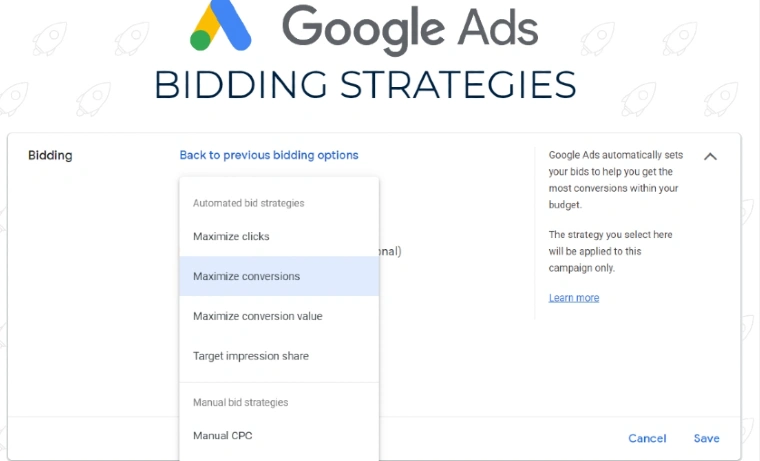
You tell Google how much you’re willing to pay when someone clicks. This is your bid. You can set it manually or let Google adjust it for better performance. You also set a daily budget, so you don’t overspend. Over time, you can change your bid and budget based on what works. Some bids focus on getting more clicks, while others aim for more conversions. Google offers smart bidding options that use data to improve results. Your budget affects how often your ads show during the day. If your budget runs out early, your ads might stop showing until the next day.
Ad Formats
There are many ad formats to choose from. Each one has a different use, so it’s smart to pick based on your goal.
- Text Ads: These are short and simple. They include a title, a link, and a few lines of text. They appear in Google Search and are easy to make. Great for getting quick clicks.
- Responsive Ads: These ads adjust to fit different screens and spaces. You provide several headlines and descriptions. Then, Google mixes and matches them for the best results. It’s flexible and smart.
- Image Ads: These include pictures to catch the eye. They appear on websites and apps. You can show off your product or service visually. They work well for brand awareness.
- Video Ads: Video ads appear on YouTube and in apps. They can be short or long, skippable or not. You can show how your product works or share a customer story. They leave a big impact.
- App Promotion Ads: These help get more downloads for your mobile app. They appear across Google’s platforms. You provide your app details, and Google takes care of the rest. Easy and effective.
Ad Placement
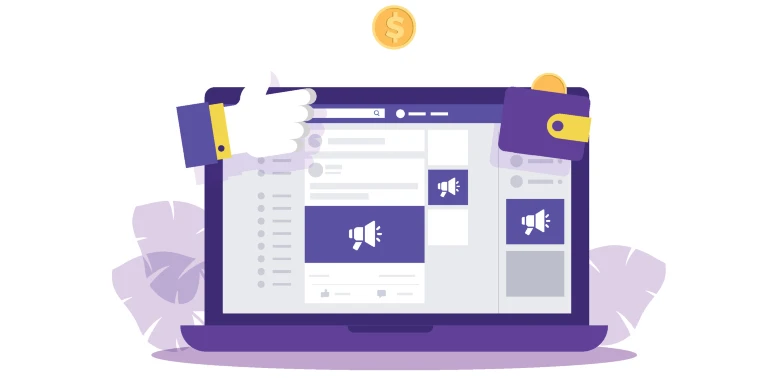
Where your ads appear is very important. You want them to be in the right place at the right time. Google gives you options to choose where your ads show up. You can target specific websites, apps, or types of content. Picking the best placement helps you reach the right audience and get better results.
- Google Search Network: These ads show when users search on Google. They appear above or below the search results. Great for targeting users actively looking for something. You can match your ad to keywords people are typing into the search bar. This helps bring in people who are ready to take action.
- Google Display Network: These ads show on partner websites, apps, and YouTube. They can be text, image, or video. Perfect for building brand awareness. You can reach millions of users while they browse content. These ads are great for keeping your brand visible even when people aren’t searching.
- Targeted Ad Placement: You can choose specific places for your ads. You can pick a specific site, for example, a cooking platform, just to show your ads, or whatever you have in mind. This gives you control and boosts ad effectiveness. You decide where your message fits best. It’s a smart way to reach a focused audience.
Tracking and Analyzing Results
To improve your ads, you need to track how they perform. Google offers tools that help you see what’s working. Without tracking, it’s hard to know what changes to make. Tracking helps you spend your budget wisely and boost performance.
Step 1: Link your Google Ads and Analytics Accounts
When you link these accounts, you can track how users act after clicking your ads. It gives you deeper insights. You learn more than just clicks. You see full user behavior. You can also track how long users stay and what pages they visit. This helps you understand what parts of your site work best.
Step 2: Enable Auto-tagging
Auto-tagging adds special info to your URLs. This helps Analytics track where users came from. With this turned on, your reports become more accurate and useful. It saves you time by adding tags automatically. That way, you don’t have to do it by hand.
Step 3: Import Google Ads Data into Analytics
This step lets you see ad data right in Google Analytics. You can view things like cost, clicks, and conversions. It puts all the info in one place. You don’t have to jump between tools to understand your results. That means faster decisions and better insights.
Step 4: Set Up Goals or E-commerce Tracking in Analytics
Goals track things like sign-ups or purchases. E-commerce tracking shows detailed sales info. Setting these up lets you measure how well your ads lead to real business results. It also helps you see where users drop off in the process. That way, you can fix problems and improve.
Step 5: Monitor your Google Ads Reports in Analytics
Check your reports regularly. Look at what ads bring the most clicks. See which ones lead to sales. Then, adjust your campaigns based on what you find. Watching trends over time helps you spot new chances to grow.

Google Ads Terms You Should Know
Learning some basic terms helps you understand how the system works. Here are the top ones you’ll see often. These words come up in reports, settings, and when talking about performance. Knowing them saves time and helps you make better decisions. With these terms, you can talk confidently about your campaigns.
1. Ad Extensions
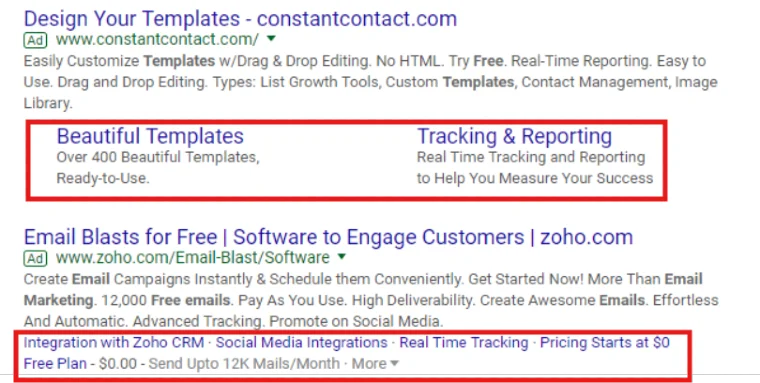
Extra info added to your ad, like phone numbers or links to pages on your site. They make ads more useful and improve click rates. Extensions can also show your location or highlight special offers. They make your ad stand out from others. Using extensions means users get more ways to contact you or learn about your business without extra searching. This can increase trust and encourage action. You can add several extensions to the same ad for more impact.
2. AdRank
Google uses AdRank to decide where your ad shows. It’s based on your bid and quality score. A better rank means a better spot. Quality score measures how relevant your ad and website are to users. Higher quality ads cost less and get better placement. AdRank helps keep ads useful and fair. Even if you bid less, a high-quality ad can still win a good spot. Understanding AdRank can help you improve your campaigns.
3. Bidding
This is how much you are willing to pay for a click. You can set it manually or let Google adjust it for the best outcome. Manual bidding gives you control but takes more time. Automated bidding uses Google’s data to optimize your spend. There are different strategies, like focusing on clicks, conversions, or impressions. The right bid helps you get the most from your budget. You can increase or decrease bids anytime. Bidding well can make your ads more competitive.
4. Campaign Type
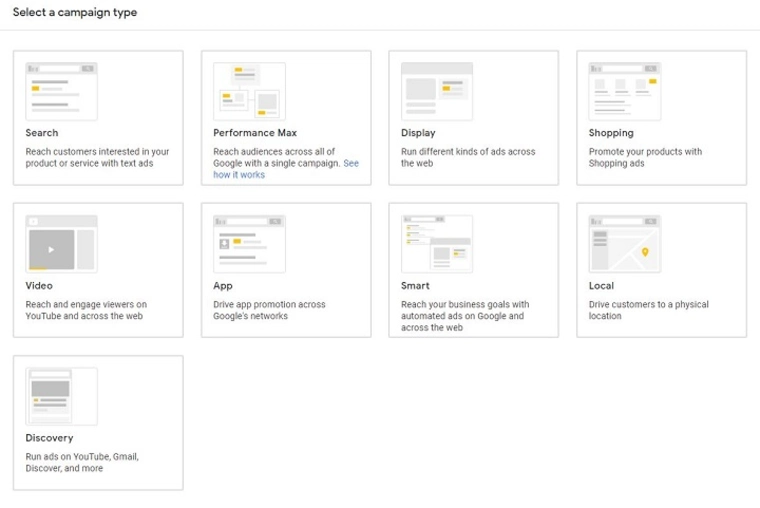
This decides where your ad will appear. Choices include Search, Display, Shopping, Video, and App. Each type fits different goals, like driving sales or building awareness. Search ads show in search results, while Display ads appear on websites and apps. Shopping ads show product info directly in search results. Video ads play on YouTube and other platforms. App ads help get more downloads for your app. Choosing the right campaign type boosts your chances of success.
5. Click-Through Rate
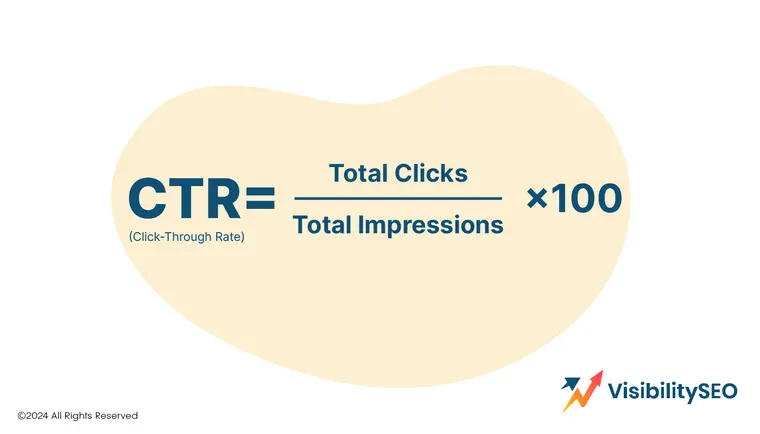
The number of clicks your ad gets divided by how many times it was shown. It helps measure ad effectiveness. A higher CTR means your ad is interesting to users. Low CTR can mean your ad isn’t relevant or clear. Improving your headline and description can boost CTR. You want to attract people who are likely to act. Monitoring CTR helps you test different ads. It’s a key sign of how well your message connects.
6. Conversion Rate
The percentage of users who take a desired action after clicking. High rates mean your ad and page work well together. Conversions could be purchases, sign-ups, or other goals. Tracking conversions shows real business results. If conversion rates are low, the landing page or offer might need work. Good ads bring traffic, but conversions show success. Testing different pages can improve rates. This number guides your ad spending decisions.
7. Display Network
This is a group of websites and apps where your Display ads can appear. It includes millions of places where users spend time. Ads here can be images, videos, or text. The Display Network helps build your brand over time. It reaches people who aren’t actively searching but might be interested. You can target by topics, interests, or websites. This network expands your audience beyond search alone. It’s great for keeping your business visible.
8. Impressions
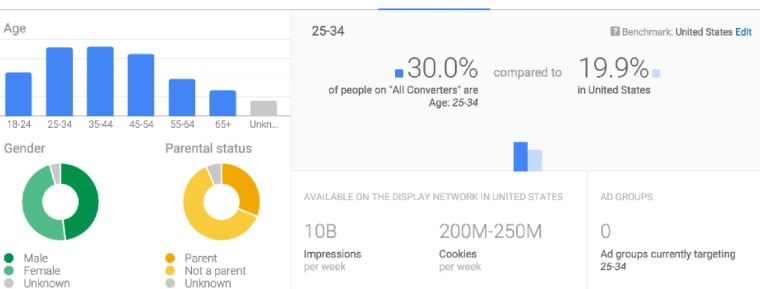
Each time your ad is shown, it counts as one impression. Many impressions increase your brand’s visibility. Even if users don’t click, they may remember your name. Impressions are useful for awareness campaigns. Tracking impressions helps you see how often your ad appears. High impressions with low clicks could mean your ad needs work. Balancing impressions and clicks improves your campaign’s efficiency. Impressions tell you about your ad’s reach.
9. Keywords
These are the words that trigger your ad. Pick ones that match your services or products. The right keywords help you reach the right users. You can choose broad, phrase, or exact match types. Negative keywords stop your ad from showing for unwanted searches. Using keyword tools helps find popular and relevant terms. Regularly reviewing and updating keywords keeps your campaign effective. Good keyword choices save money and boost clicks.
10. PPC
Stands for pay-per-click. You pay only when someone clicks your ad. This keeps your costs linked to actual user actions. PPC is a popular way to advertise online because it’s cost-controlled. You set budgets and bids to manage spend. It lets you reach people ready to take action. PPC gives quick results compared to some other marketing methods. Managing PPC well can grow your sales and website traffic.
Advertise Smarter with Google’s Powerful Tools
Google Ads gives you control, reach, and results. Whether you’re just starting or have an established business, the platform supports you with flexible features. With tools for every type of business, from local shops to online stores, Google Ads helps you connect with the right audience. Use it to build awareness, drive sales, or promote a new service. You don’t have to be an expert to get started; you just need a goal, a plan, and a bit of time.
Google also offers powerful tools like Performance Max campaigns, which use automation and machine learning to get the best results across all Google platforms. These tools help you reach millions of users by showing your ads where they are most likely to perform well, whether in search, display, videos, or apps. Plus, Google’s support and detailed analytics let you track your ads’ effectiveness and adjust your strategy quickly. This means you can jumpstart your advertising and make smart changes based on real data, all while staying within your budget. It’s a smart way to make your advertising work harder for your business.
FAQs
How Much Does Google Ads Cost?
Google Ads costs vary depending on your budget and goals. You can start with just a few dollars a day. The price depends on how many people click your ad and how much you bid for keywords. Some industries have higher costs because more advertisers compete. But the good part is, you stay in control. You can adjust your spending anytime.
Why do Google Ads appear at the bottom?
Google Ads appear at the bottom when other ads have a higher AdRank. This score is based on your bid, your ad’s quality, and how relevant it is to the search. If your ad is less competitive, it still shows up, but lower on the page. That way, users still have a chance to see it, especially if they scroll down.
How can I earn money from Google Ads?
You can earn money by using Google Ads to bring more visitors to your website. If you sell products or offer services, more visitors can lead to more sales. Another way is through Google AdSense. If you have a website or blog, you can allow Google to place ads on it. You get paid when users click those ads. Both options help turn traffic into income.

- SEO Consultant vs SEO Agency – What is the Difference? - June 25, 2026
- FAQ Schema: A Simple SEO Trick for Better Visibility - December 20, 2025
- What Is YMYL and Why It Matters for SEO? - December 16, 2025