SEO matters, even when using WordPress. You probably want your site to show up on Google, right? This guide is all about making WordPress work for you, so you can climb those rankings and get noticed. Some stuff might sound tricky, but with clear steps, anyone can do it. We’re here to help you shine online by making your website easier to find and use.
Using the best SEO tools and strategies can help your WordPress site rank higher and stand out from the competition.
What Is WordPress SEO?
WordPress SEO is about making your WordPress site show up in search results. When we say SEO, we mean simple things like using good titles, clean links, and images with descriptions. Ever notice how some pages pop up first on Google? That doesn’t just happen by chance. Site owners use SEO tricks to help search engines “see” their site better.
WordPress lets you add special tools, called plugins, that fix or improve your site’s SEO. You don’t have to write a line of code for most SEO stuff. Just follow best practices and your site starts climbing. Two of the most popular and powerful options are the Yoast SEO plugin and Rank Math SEO, both offering comprehensive features to optimize your WordPress site.
WordPress Posts vs Pages
Everything on WordPress is either a post or a page. Posts are for updates, news, or blogs. They show up by date, with the newest first. Pages stay the same (like your About page) and aren’t part of a blog list.
From an SEO perspective, posts and pages are treated the same by Google. Both blog posts and web pages should be optimized for search engines to maximize visibility. That means both can rank. But think about it. Will someone search for your latest blog or for your homepage? Both need SEO.
Why is SEO Important for My WordPress Site?
SEO helps people find your website. Effective SEO increases your website’s visibility in search results, making it easier for potential visitors to discover your site. If your site doesn’t show up on Google, you miss out on visitors, readers, or customers. That’s not good for anyone trying to grow a site.
Search engines are like librarians of the internet. If you help them understand your site, they’ll “recommend” it more. Good SEO means better chances to be noticed. Small changes can have a big impact, so don’t skip this.
Check Your Site’s Visibility Settings
Sometimes, WordPress has a setting that tells search engines not to index your site. Don’t want your site hidden? Check “Settings > Reading” and make sure “Discourage search engines from indexing this site” isn’t checked.
If it is checked by mistake, your site will never rank. Always look at this setting first, especially if you just launched your site. Incorrect visibility settings can negatively impact your WordPress site’s SEO and prevent it from being indexed.
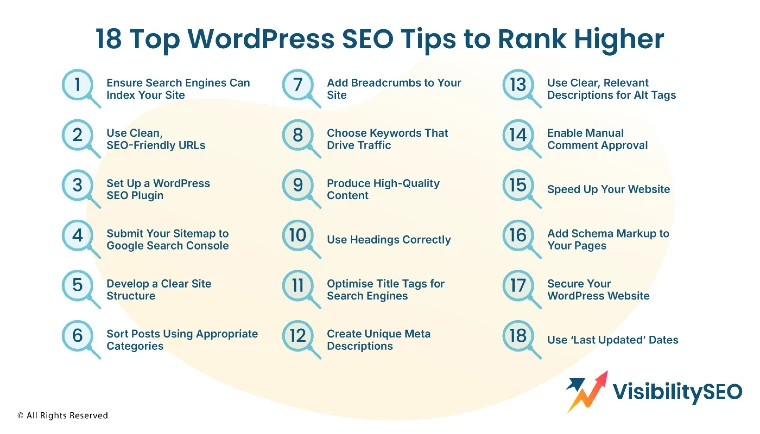
18 Top WordPress SEO Tips to Rank Higher
If you’re ready to make your WordPress site stand out, start with these 18 tips. Some are basic, and others are a bit deeper, but all are helpful. Work your way through, and you’ll see improvements.
Consistency is key. Even simple fixes can help your ranking. Working through these tips will help you build a strong SEO strategy for your WordPress site.
1. Ensure Search Engines Can Index Your Site
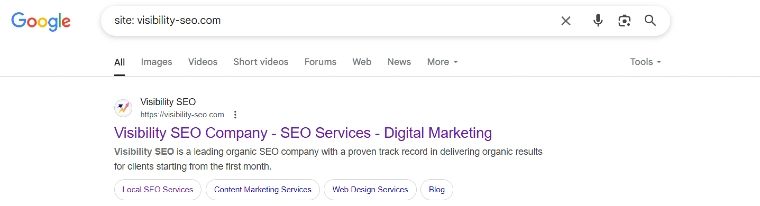
Check your site’s visibility settings as mentioned earlier. If search engines can’t index your site, no matter what you do, it won’t show up.
If your site is new, sometimes people block indexing by accident during setup. Always double-check this so everything is public. If your site can’t be indexed, your site’s SEO will be negatively affected.
2. Use Clean, SEO-Friendly URLs

Keep URLs short and easy to remember. Remove unnecessary words and stick to simple slugs. For example, use “best-shoes” instead of “the-best-shoes-you-can-buy-now.”
Google likes URLs that are clear and match the content. Changing your URLs? Set up redirects so old links don’t break. Using a redirect manager plugin can help automate and manage URL redirects efficiently.
3. Set Up a WordPress SEO Plugin
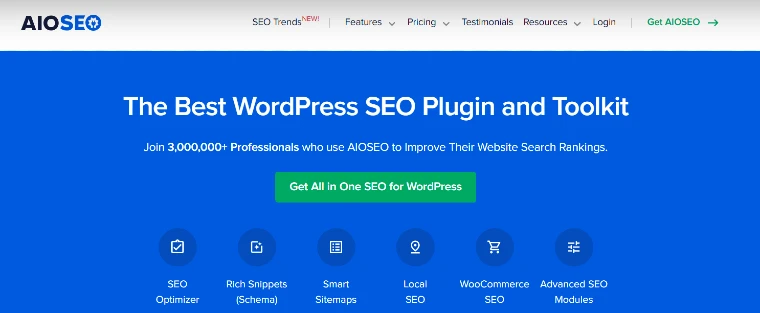
Plugins like Yoast SEO or All-in-One SEO are popular. They take care of meta tags, sitemaps, and more. They also give you tips when writing posts.
With a plugin, you get checklists and reminders, making SEO much easier, even for beginners.
Free plugins like Yoast SEO Free offer essential SEO tools for website owners and beginners, helping you optimize on page SEO, focus keyword usage, and create optimized content for every blog post.
SEO Premium options, such as Yoast SEO Premium and Rank Math SEO, provide advanced features like full SEO analysis, internal linking suggestions, optimized SEO titles, and keyword rankings tracking.
These plugins support internal linking, external links, and offer suggestions for related keywords to enhance your SEO strategy.
SEO tools can help you monitor your website’s performance, website traffic, organic traffic, and search traffic through integrations with Google Analytics and Google Search Console integration, while a built-in website authority checker lets you track how strong your domain and pages are over time.
Features like redirect manager, broken links detection, and link juice management help maintain page authority and improve your site’s search engine optimization. Advanced plugins can optimize your entire website, including your own website and other websites you manage, for better visibility on search engine result pages across Google and other search engines.
These tools are valuable for website owners looking to improve their SEO skills and increase their website’s visibility. Social media integration, content creation tools, and support for multiple blog posts make these plugins a comprehensive solution for WordPress SEO.
4. Submit Your Sitemap to Google Search Console
Once you have a sitemap, go to Google Search Console and add it. You’ll need a Google Search Console account to submit your sitemap and monitor your site’s indexing status. This tells Google where your pages are.
Google checks your sitemap regularly, so if you add new posts, they get found faster. That’s a win for both you and your readers.
5. Develop a Clear Site Structure
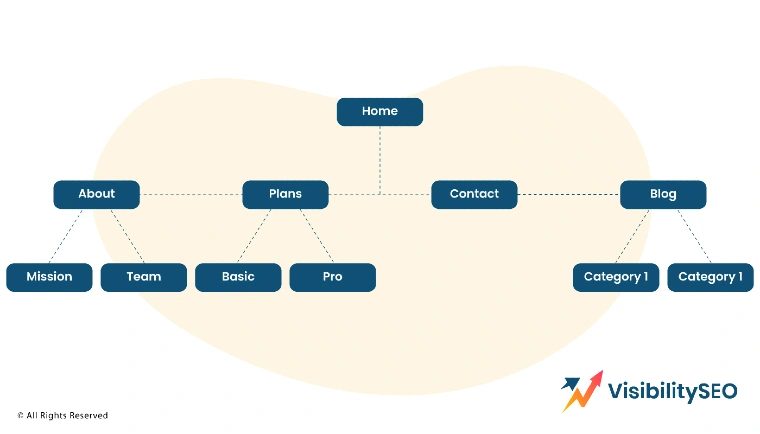
Think of your website as a tree. The home page is the trunk, categories are branches, and posts/pages are leaves. Good structure helps visitors and Google find everything.
A messy site is confusing. A clear structure leads to better rankings and a better user experience. Make your menu easy to use and keep things neat.
- Simplify Your Top-Level Menu: Only include essential pages in your main menu. Too many options can overwhelm visitors. Stick to key pages like Home, About, Blog, and Contact to keep it clean and easy to navigate.
- Use a Hierarchical Website Structure: Group similar topics under broader categories. For example, a recipe blog might organize content into “Desserts,” “Appetizers,” and “Drinks.” This structure helps both users and search engines easily navigate your site.
- Implement Topic Clusters: Group related content together. For instance, a main post about “WordPress Tips” can link to related posts on “Plugins,” “Themes,” or “SEO Settings.” Topic clusters improve your site’s authority and help Google see you as a valuable resource.
- Avoid Orphan Pages: Orphan pages have no internal links pointing to them, making them difficult to find. Internal linking helps connect important pages, making them easier for both visitors and search engines to find. Link important pages from visible locations on your site to ensure they’re accessible for both visitors and search engines.
- They Might Not Get Indexed: Pages without links are harder for Google to crawl, like a room with no doors or windows. Make sure every page you want found has at least one internal link.
- It’s Harder to Rank Them: Pages that aren’t discovered by Google can’t be ranked. Include internal links to make your best content part of your site’s interconnected “web” and improve its chances of ranking.
- Visitors Might Never Discover Them: Hidden pages won’t get any traffic. If you’ve worked hard on a guide or product but it’s not properly linked, visitors won’t find it. Always ensure every page is connected to your site’s main structure.
6. Sort Posts Using Appropriate Categories

Categories help organize your posts by topic. Label posts correctly so visitors can browse what they want.
When sites grow, finding old posts gets hard. With sensible categories, finding stuff is much simpler.
- Use a Reasonable Number of Categories
Don’t go overboard with hundreds of categories. Start with 5 to 10 that fit your content. Too many categories confuse users and Google.
You can always add more later if needed, but stay organized.
- Optimize Category Pages
Category pages often rank well. Make them useful by adding unique text, like a summary or introduction. Including optimized content, such as keyword-rich summaries or introductions, can help category pages rank better in search results.
Don’t just list posts; make category pages interesting and focused to encourage browsing.
- Include Your Target Keyword. Use the main keyword for your category in headings and descriptions. For example, in a “Shoes” category, mention shoes in your introduction. Keywords help Google understand your page content, but make sure to use them naturally.
- Add a Description. Category descriptions guide users and provide valuable context for search engines. Add a short paragraph above the list of posts to explain what the category includes. Clear descriptions encourage clicks and keep visitors on your site longer.
- Use an SEO-Friendly Slug. The slug is the part of the URL after the domain. Keep it short and relevant, like “/shoes” instead of “/category-7.” This makes links easier to remember and improves your SEO.
7. Add Breadcrumbs to Your Site

Breadcrumbs show users where they are on your site. A line like “Home > Blog > SEO Tips” helps people backtrack or explore more.
They also help search engines map out your site’s structure. Many SEO plugins offer breadcrumb settings.
8. Choose Keywords That Drive Traffic
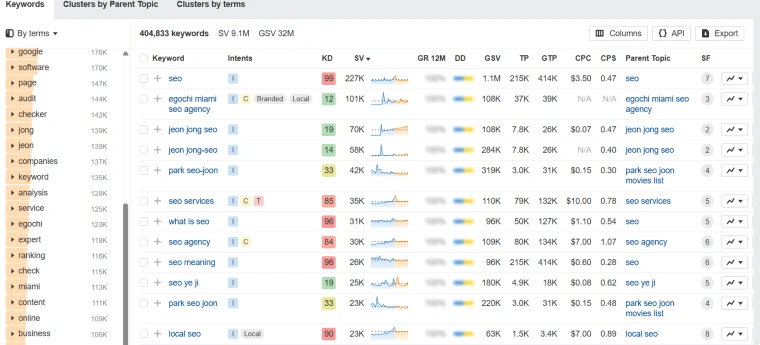
Do keyword research before writing. Choose keywords that people actually search for. Not sure what’s popular? Use a tool like Ahrefs.
It’s tempting to write about anything, but when you use good keywords, your content is more likely to get found. Select a focus keyword for each post to guide your content optimization efforts.
9. Produce High-Quality Content
High-quality content is helpful and answers real questions. It’s better to do one great post than five weak ones.
If you solve problems for readers, Google notices. Good writing means more visitors and shares. It’s important to create content that is both relevant to your audience and optimized for search engines.
Meet Search Intent
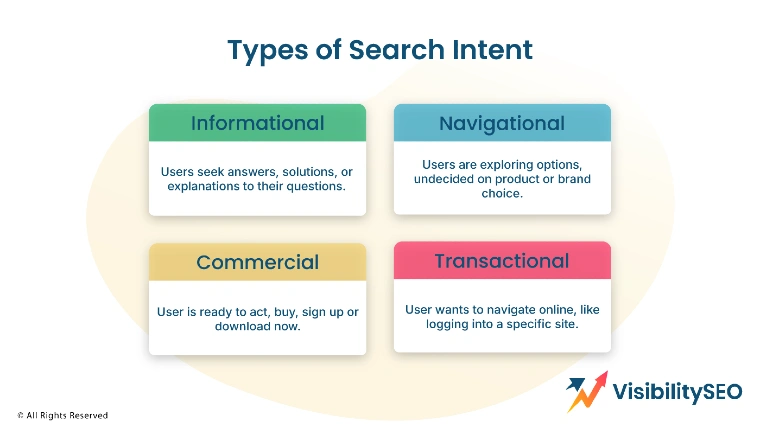
Think about why someone is searching. Do they want information, a product, or a how-to guide? Give them what they want.
If you guess wrong, readers leave fast. Always match content to search intent. Aligning your content with search intent increases your chances of ranking higher in search engine result pages.
- Navigational: A navigational search means looking for a specific page or site, like “Facebook login” or “YouTube homepage.” Help users get where they want without getting lost.
- Informational: Informational searches are for learning, such as “How to bake bread” or “What is SEO?” Write guides, answer questions, and explain things clearly to win these clicks.
- Commercial: A commercial search involves comparing products or considering a purchase, like “best laptop for students.” Provide comparisons, features, and reviews to help readers decide.
- Transactional: Transactional searches are made by people ready to buy, such as “buy blue running shoes online.” Make it easy for them by offering clear product info and buying options.
Provide Reliable Information
Always check your facts. Include accurate data and link to trusted sources when possible. Adding external links to reputable websites can enhance your content’s credibility and SEO. Misinformation hurts your credibility and lowers your ranking.
Optimize for Readers
Write for people, not just search engines. Make things useful and easy to read.
If readers stay longer on your pages, Google thinks your site is a good answer to their questions.
- Use Simple Language: Avoid complex words and jargon. Simple writing keeps things easy to understand. Even when talking about tough topics, plain words help everyone follow along.
- Make It Easy to Read: Break text into short paragraphs. Use bullet points, lists, and images to make your points stand out. A wall of text scares people off. Mix it up to keep readers interested.
- Add Plenty of Examples: Give examples that readers understand. If you’re writing about SEO, show what a good title tag looks like. Clear examples help people see and remember what you say.
- Make It Visually Appealing: Add images, headers, and white space. Well-designed posts are easier to digest. Don’t overdo it, but a good layout keeps readers on your page longer.
10. Use Headings Correctly
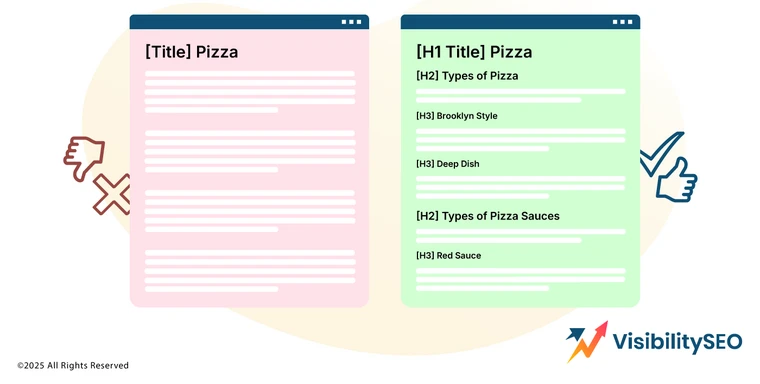
Headings play a crucial role in organizing your content and guiding readers through your ideas. Start with an H1 for your main title, as it sets the theme of your post. You should also set an SEO title in your plugin settings to improve search engine visibility.
Use H2 subheadings to break your content into key sections and H3 subheadings for supporting topics within those sections.
Well-structured headings not only improve the readability of your post but also make it easier for users to quickly scan and find the information they need. Additionally, search engines like Google value clear, logical structures, which can boost your SEO performance.
11. Optimize Title Tags for Search Engines

Title tags are the clickable main titles that appear in search engine results. They are one of the most important SEO elements so make sure to include your main keyword but make sure it flows naturally.
Using tools or plugins to generate SEO titles can help get more clicks and improve your search engine rankings. Craft titles that grab attention and accurately reflect the content of your post. A good title can get more clicks and drive traffic to your site.
12. Create Unique Meta Descriptions
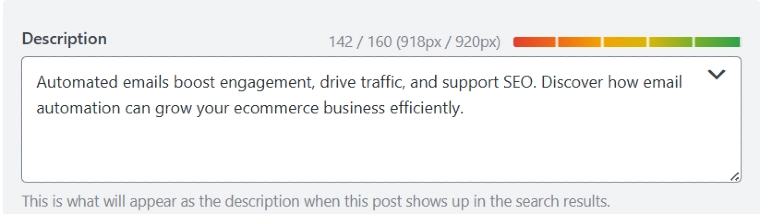
Meta descriptions are short text snippets that appear below your title tag in search results. They summarize what your page is about and entice users to click through. Write concise, engaging descriptions that include your main keyword and explain what readers can expect from your content.
Don’t duplicate meta descriptions across pages; each one should be unique to get noticed. A good meta description can improve click through rates and help your site rank better overall. Run an SEO analysis to find and improve weak meta descriptions across your site.
13. Use Clear, Relevant Descriptions for Alt Tags
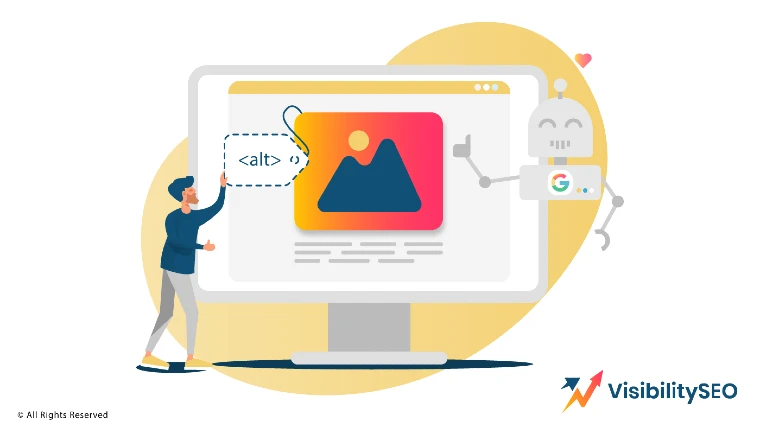
Alt tags are descriptions of images for people who use screen readers or can’t see them. Write brief, accurate descriptions of what the image shows, using a few well chosen words. Alt tags aren’t just for accessibility – they also help search engines understand your visual content which can improve your page’s SEO. By describing your images you’re enhancing both user experience and search visibility.
14. Enable Manual Comment Approval
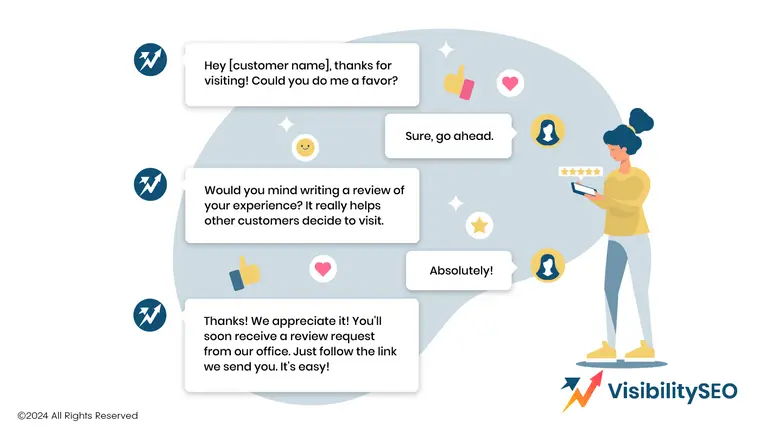
Allowing comments on your site can encourage engagement but auto-approving them can let spam slip through. Spam comments look unprofessional and can harm your site’s credibility and reputation.
Always enable manual review of comments before they go live. This ensures all comments are respectful, on topic and valuable to your audience. Taking the time to moderate comments keeps your site clean and trustworthy.
15. Speed Up Your Website
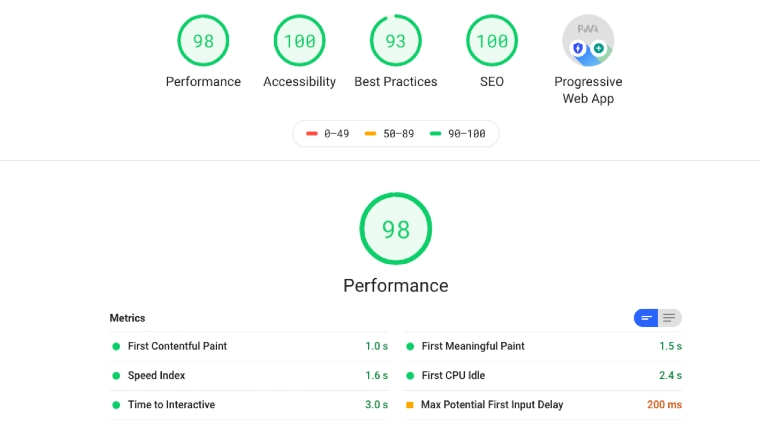
Site speed is a critical factor for both user experience and SEO. Improving your site’s performance helps with rankings and keeps visitors engaged. If your site takes too long to load visitors will leave before exploring your content which increases your bounce rate.
Improve your site’s speed by compressing images, minimizing plugins and considering a faster hosting provider.Google prioritizes fast loading sites in search rankings so every second counts.
Use a CDN
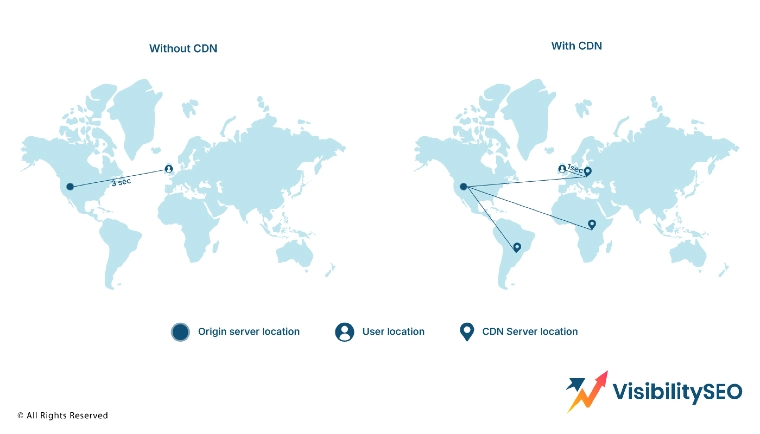
A Content Delivery Network (CDN) stores copies of your site’s files across multiple servers worldwide. This reduces the distance data needs to travel, making your website load faster for users, no matter where they are. By using a CDN you ensure smoother, quicker access for visitors in different regions and enhance their experience and potentially boost your rankings.
16. Add Schema Markup to Your Pages
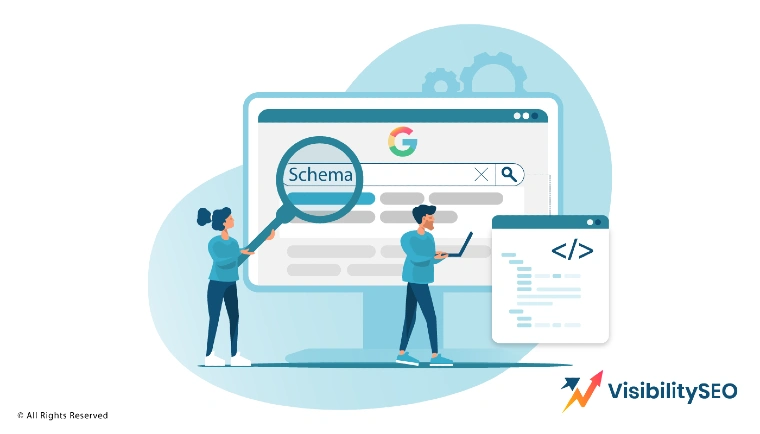
Schema markup is a type of structured data that helps search engines understand your content. It can enhance how your site appears in search results by adding features like star ratings, reviews, event details or product information.
You can implement schema markup using plugins or by following online guides to add the code manually. The more specific and detailed your schema data the more attractive and informative your site will appear in search results and help you stand out from the competition.
17. Secure Your WordPress Website
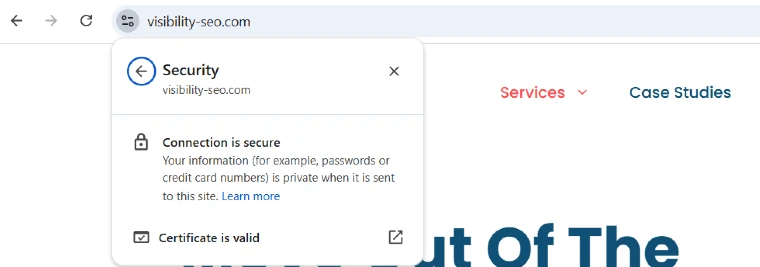
Website security is critical to protect your users and your SEO performance. If your site is hacked or infected with malware it can harm your search engine rankings and damage your credibility.
To stay secure always keep your WordPress site updated with the latest software and plugins. Use strong passwords, reliable security plugins and consider enabling two-factor authentication. Prioritizing security protects your site, your visitors and your hard earned rankings.
Use a Security Plugin
Security plugins keep your WordPress website safe from attacks. They help guard against hackers and spam.
A plugin also alerts you if something bad happens, giving you peace of mind.
- Security Requirements for User Credentials: Use strong passwords. Avoid simple words or easy-to-guess numbers. Consider using a password manager to simplify this process. Never share your login details with anyone you don’t trust.
- Two-Factor Authentication (2FA): Add an extra step to your login process using 2FA, such as a code sent by text or an authentication app. Even if someone guesses your password, they can’t log in without the additional code.
- Brute Force Protection: Brute force attacks happen when bots try thousands of password combinations. Use security plugins to limit login attempts and prevent such attacks, making your site more secure.
- Automatic Vulnerability Scans: Use plugins that scan your site for vulnerabilities and alert you to new threats. Regular scans help fix issues early, keeping your site safe from potential attacks.
18. Use ‘Last Updated’ Dates

Showing the last updated date tells visitors your info is fresh. It can even help rankings, as Google prefers up-to-date content. If you update a post, change the date. It shows you care about providing the latest info.
Choosing the Best WordPress SEO Plugin
The best plugins handle all the basics with little effort. Choosing the best SEO plugin ensures you have access to advanced features and support for all your optimization needs. They should help with meta tags, sitemaps, and internal links.
Find one that fits your needs and is easy to use. Check reviews or try free versions before committing.
Yoast SEO
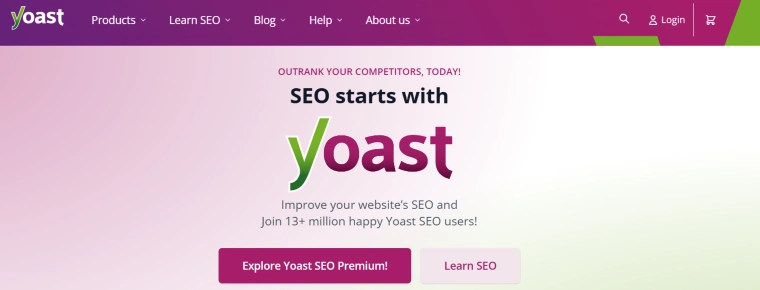
Yoast SEO is super popular. It checks your writing, helps you set up titles, adds sitemaps, and more. It even scores your posts for SEO, with red/green dots to guide you. It’s beginner-friendly and reliable. Yoast SEO Premium offers additional features like AI-powered content suggestions, multiple keyword optimization, and advanced support.
WooCommerce

WooCommerce works with WordPress if you run a store. It helps you manage products, orders, and payments. Pair WooCommerce with SEO plugins for product optimization and better search visibility.
Contact Form 7
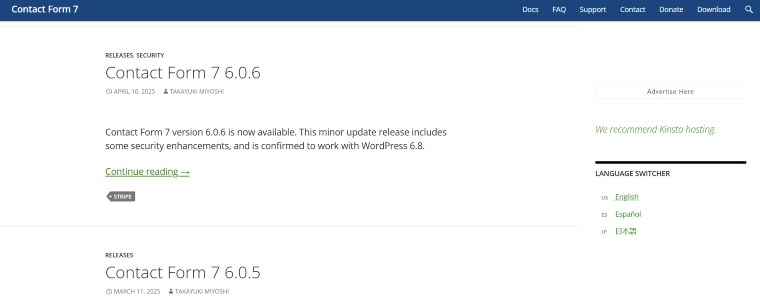
Contact Form 7 makes adding contact forms easy. A good contact page is important for SEO, helping build trust with visitors. Forms should be simple and secure so people know you’re reachable.
Elementor Website Builder

Elementor is a drag-and-drop builder that helps design beautiful pages. Nice design keeps people interested, which is good for SEO. With Elementor, you can add sections, images, or widgets without coding.
Classic Editor
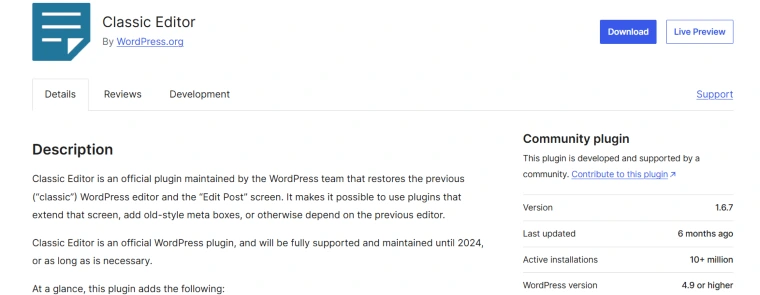
Classic Editor brings back the old WordPress editor style. Some people find it easier to write and edit this way. Plugins work with both classic and block editors, so choose the one you like best.
Take Your WordPress SEO to the Next Level
SEO doesn’t have to be mysterious or hard. With practice, your site rises in the rankings and reaches more people.
Work through this list, take your time, and adjust as you go. You’ll be amazed at the difference these changes can make. And if you need expert help, the team at Visibility SEO is always ready to guide you.
Keep developing your SEO skills by exploring courses, reading guides, and gaining hands-on experience to further enhance your website optimization efforts.
FAQs
Does WordPress require coding?
No, you don’t need to know how to code to use WordPress. The system is designed so anyone can set up pages, posts, and even install plugins without any programming skill.
However, some advanced changes might need a bit of HTML or CSS, but most users will never have to worry about that. Plugins usually handle everything technical.
This means you can create a great website just by clicking settings and filling out a few boxes. That’s why WordPress is so popular for beginners and pros alike.
What Is the relationship between WordPress and SEO?
WordPress and SEO go well together. WordPress is designed to support search engine optimization, making it easier to improve your site’s visibility in search results.
WordPress has built-in features that help you optimize your site, such as clean permalinks and easy content updates. It also offers plenty of plugins that can boost your SEO even more, like Yoast SEO or All-in-One SEO.
Many businesses use WordPress because it makes doing SEO much easier, even if you don’t know a lot about websites or marketing. The better you use those tools and settings, the higher your site can rank in search engine results.
How often should I update my SEO settings in WordPress?
You should check and update your SEO settings regularly. At minimum, check your settings every time you post new content or change your website’s structure. If you update posts or learn about new SEO techniques, adjust settings right away.
Keeping your website fresh and accurate helps maintain good rankings. For the best results, schedule a review of your SEO once a month.
This keeps you ahead of problems and ensures your site stays visible.

- SEO Consultant vs SEO Agency – What is the Difference? - June 25, 2026
- FAQ Schema: A Simple SEO Trick for Better Visibility - December 20, 2025
- What Is YMYL and Why It Matters for SEO? - December 16, 2025