It’s no surprise that what your customers say about your business carries more weight than what you say, no matter how great your services are or how carefully crafted your messaging might be. People trust customer reviews. And Google knows this. That’s why Google uses reviews in its local ranking algorithm. But it’s not just about the number of reviews you have, it’s also about the quality.
Google reviews don’t just shape your reputation; they can also directly influence how easily potential customers find you online. Your reviews affect your search ranking and your ability to attract new customers.
So, how do you get more positive Google reviews without coming across as pushy or desperate? That’s what we’re here to talk about. We’ve put together 18 actionable strategies to help you consistently earn great reviews. Here’s a quick look at what we’ll cover:
- Why Google reviews matter so much—and the impact they have on your business.
- The best, most practical ways to get more reviews (without overcomplicating it).
- Examples and templates you can use to make asking for reviews feel natural.
Let’s dive into the world of Google reviews and figure out how you can make them work for you.
What Are Google Reviews and How Do They Work?
Google business ratings let customers share what they think about your company in just a few clicks. They rate you on a scale of one to five stars. A five-star review means someone had a fantastic experience with you. A one-star, on the other hand, is a clear sign things didn’t go well. These ratings add up to create your average score, which is displayed right next to your business name for everyone to see.
You’ve probably noticed Google ratings pop up all over the place. However, local search results and Google Maps are prime spots where people are making instant decisions about where to go or whom to trust.
In the end, Google reviews aren’t just ratings. They’re stories from your customers: good, bad, and everything in between. And those stories shape how others see your business.
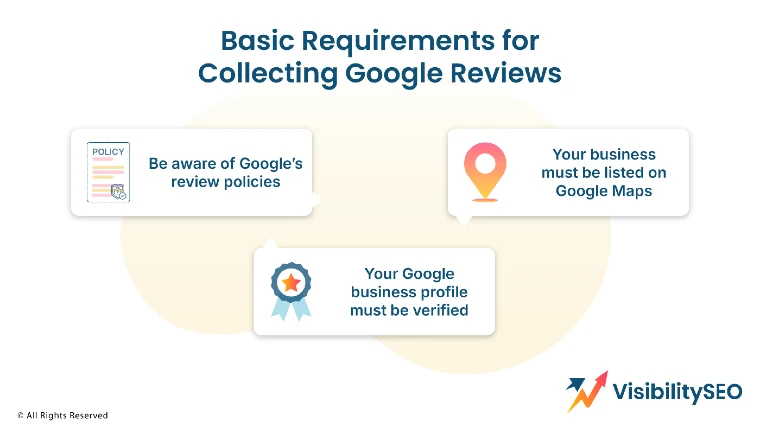
Basic Requirements for Collecting Google Reviews
To start getting Google reviews, there are a few essential steps you need to take:
- Understand Google’s policies. It’s crucial to follow Google Terms of Service when requesting reviews. This means avoiding offering incentives and ensuring you ask customers for reviews regardless of whether their experience was positive or negative.
- Ensure your business is listed as a “Place” on Google Maps. This will provide you with a Google Business Profile where customers can leave their reviews.
- Verify your Google Business Profile. Simply creating a listing on Google Maps (which generates a Business Profile) doesn’t grant you control over it. To manage your profile, you’ll need to set up a Google My Business account and verify ownership of your Business Profile.
These steps are critical, not just as prerequisites to the strategies outlined later, but also to help you effectively manage and respond to the reviews you’ll receive once you put these tactics into action.
Where Does Google Display Reviews?
When it comes to improving your online presence, Google offers some pretty cool tools. Let’s break it down together:
- Knowledge Panels:
Ever Googled a person or business and seen that info box pop up on the side? That’s a Knowledge Panel. It’s like a quick cheat sheet about you or your brand, right there for everyone to see. It takes effort to curate your online presence, but it’s worth it.
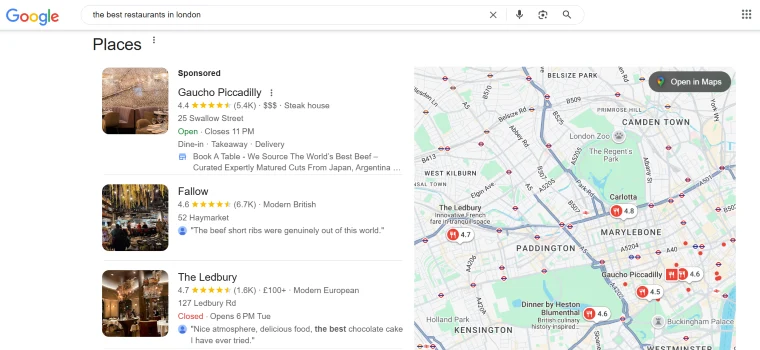
- Local Search Pack
When you search for “coffee shops near me,” you get a little map with three options on top. That’s the Local Search Pack. It’s prime real estate for local businesses. If you’re not showing up there, people won’t know where to find you.
- Google My Business Listing
This one’s your bread and butter if you own a business. Your Google My Business listing is basically your online storefront. Opening hours, reviews, photos—it’s all there. Keeping it up-to-date is non-negotiable.
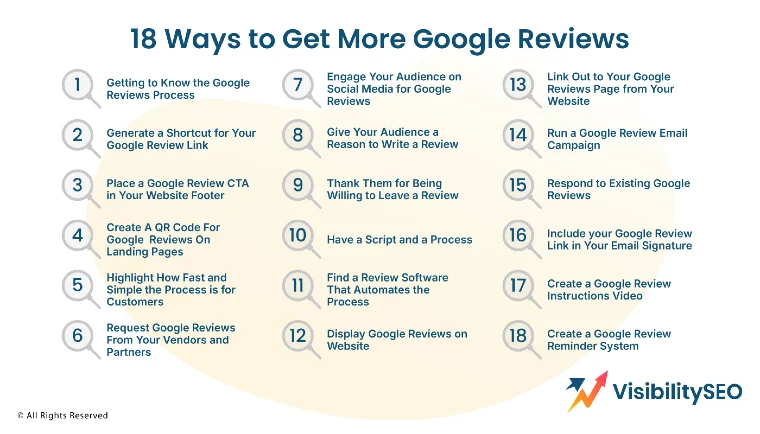
18 Ways to Get More Google Reviews
So, you get it now: Google reviews can seriously boost your reputation and rankings. And since you’ve already verified your Business Profile (smart move, by the way), you’re set up to manage them like a pro. These 18 strategies will show you exactly how to make it happen. Let’s dive in!
1. Learn How the Google Reviews Process Works

It only takes a minute for a customer to leave a Google review. Sounds simple enough, right? But there’s a process they need to follow. Here’s what they have to do:
- Open Google Maps.
- Search for your business.
- Click on your business to open your Google Business Profile.
- Scroll down to the reviews section.
- Click “Write a review.”
Now imagine a customer asking, “You’ve been awesome! How can I leave a review?”
Would you rather respond:
“We’d love a Google review! Just search for our business on Google, click on our profile, and hit ‘Write a Review’ in the reviews section.”
Or:
“We’d love your feedback! Head to our website and click the ‘Leave a Review’ button—it’s quick and easy.”
2. Create a Shortcut Link for Google Reviews
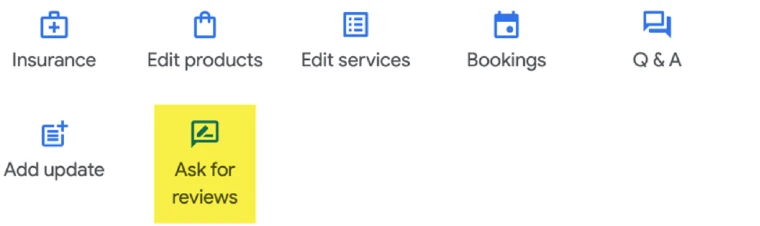
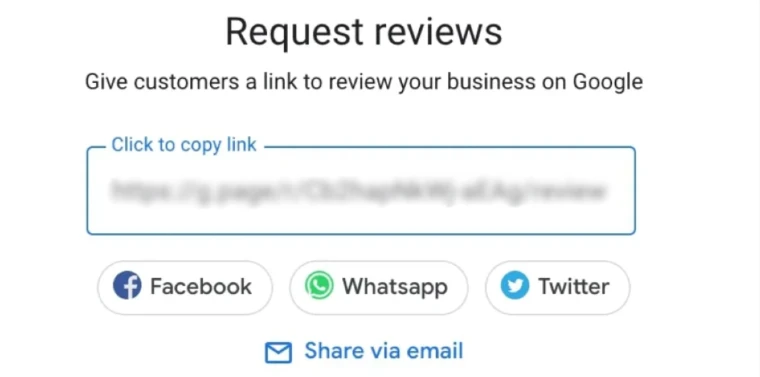
Since writing a review means your customer has to go online, make it as simple as possible. A direct review link can save them time and effort. Just add it to your website—it’s quick and effective.
Here’s how: log in to your Google My Business account, head to the Home tab, and look for the “Get your first review” or “Get more reviews” section. Click on “Share review form,” and boom—you’ve got a link. Copy it to your clipboard and you’re good to go.
3. Add a Google Review CTA to Your Website Footer
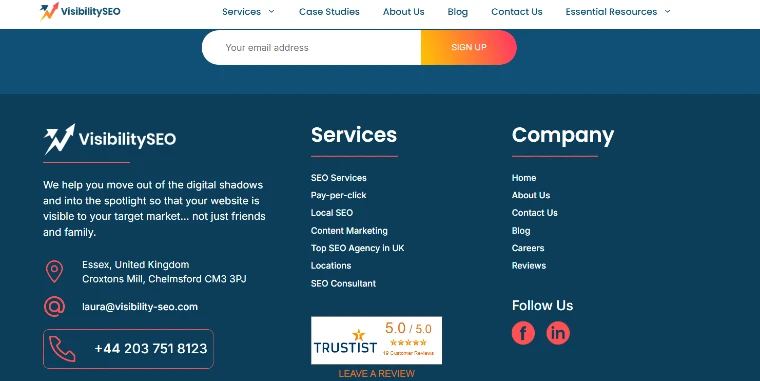
Think about it: when a customer wants to leave a review, where do they usually go first? Your website. That’s why adding a clear call-to-action (CTA) in your website footer is a smart move. It’s easy to spot, doesn’t clutter your site, and stays visible everywhere.
You can use anchor text, buttons, or even small images, whatever fits your style. Just keep it clean, simple, and intuitive. Make it feel natural for them to click and leave their feedback.
4. Use a QR Code for Google Reviews on Printed Materials

Make it easier than ever for your customers to leave a review. One quick way to do this is by creating a QR code that links directly to your Google review page. You can pop this code on your business cards, thank-you notes, postcards, flyers, anywhere your customers are likely to see it. Even your website works!
5. Emphasize How Quick and Easy It Is for Customers
Leaving a Google review shouldn’t feel like a chore. Remind your customers how fast and hassle-free it is. A few clicks, a sentence or two, and they’re done. If you make the process approachable and stress-free, they’re far more likely to leave a review.
6. Ask Vendors and Partners for Google Reviews
Have you asked your vendors or partners for a review? Sure, they’re not your customers, but they know what it’s like to work with you. And if you take the time to review their business first, they might be even more inclined to return the favor. It’s a small gesture that can go a long way and helps both sides grow. Win-win!
7. Use Social Media to Encourage Google Reviews

Social media is an awesome way to connect with your audience—and a perfect spot to ask for Google reviews. Add your shortcut link and invite your followers to share their thoughts too. It’s not just about reviews; it’s about showing others the value of working with you.
Don’t forget: some platforms, like Facebook, have their own review features. So, think about how to tweak your message for each one. It’s all about keeping it personal and relatable, right?
8. Give Your Customers a Reason to Write a Review
Why should someone take a moment to write a review for you? Think about it—what’s in it for them? Maybe it’s as simple as letting them know how much their feedback means. Or offering a small incentive, like a discount or a thank-you gift. Give them a reason to share their thoughts, and they’re more likely to do it.
9. Thank Them for Being Willing to Leave a Review
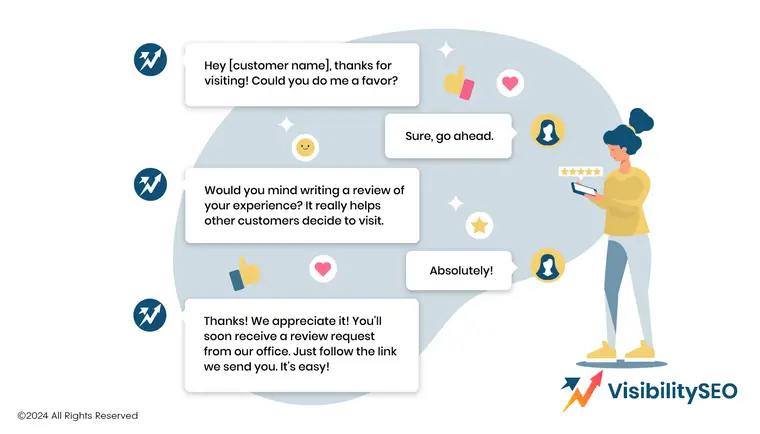
Gratitude goes a long way. If someone takes the time to leave a review, make sure they know you appreciate it. A follow-up thank-you message or a quick shoutout can make them feel valued. After all, it’s not every day people go out of their way to support a business like yours.
10. Have a Script and a Process
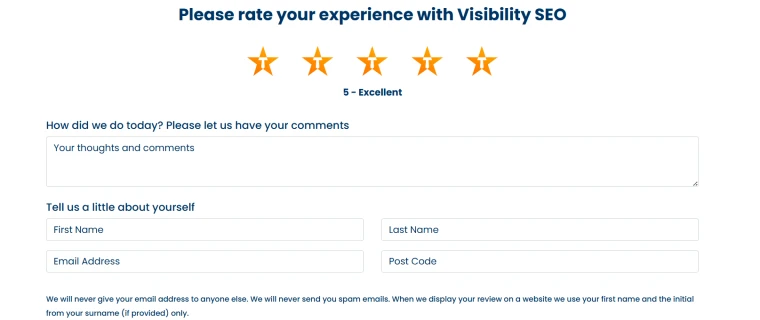
Winging it isn’t always the best approach. Having a simple script or clear process for asking for reviews makes it easier for you and your team to stay consistent. It doesn’t have to be robotic, just a friendly guide to keep you on track.
11. Find a Review Software That Automates the Process
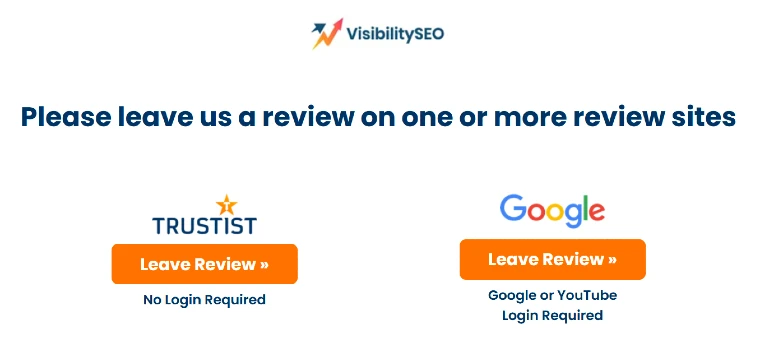
Life’s busy, and you don’t have time to manually chase every review. That’s where automation can save the day. Explore tools designed to handle the follow-ups and reminders for you. It’s efficient, and it ensures no one slips through the cracks.
12. Display Google Reviews on Your Website
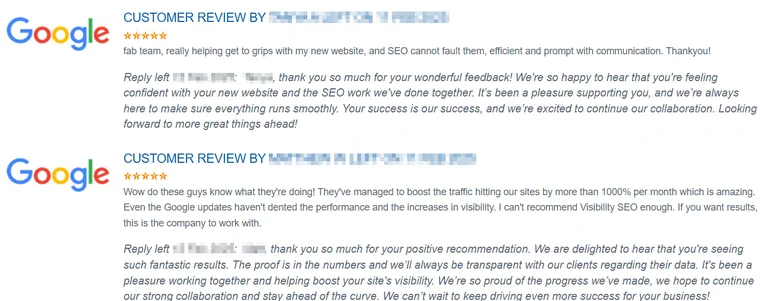
Why keep those glowing reviews hidden? Show them off! Adding them to your website builds trust instantly. People love proof, and seeing real feedback can often be the nudge they need to take action.
13. Link Out to Your Google Reviews Page from Your Website

Drop a quick link to your Google Reviews page on your site so visitors don’t have to dig around to find it. The fewer steps, the better. Sometimes, simplicity is the secret to getting more reviews.
14. Run a Google Review Email Campaign

Email marketing can be a great way to boost your Google business reviews. Whether you’re reaching out with a personal note or sending a broader campaign, the key is to be clear about what you’re asking. No need to overcomplicate it or dance around the point—just ask. Why? Because reviews matter. They help others make smarter decisions, and there’s nothing wrong with encouraging that.
And here’s the thing: happy customers are often more than willing to share their experiences—you just have to ask. Keep it easy for them. A quick, straightforward process goes a long way. When you make it simple and clear, you’ll often see more people respond.
15. Respond to Existing Google Reviews
When you respond to your customers’ Google reviews, you show potential reviewers that you value feedback and that leaving a review is worth their time. Responding to reviews can help you get more reviews in two key ways:
- Positive reviews: Responding with gratitude, specificity, and timeliness to positive reviews encourages more happy customers to leave feedback.
- Negative reviews: Prompt and polite responses to negative reviews, paired with efforts to resolve the issue, can sometimes turn a negative review into a positive one.
16. Add Your Google Review Link to Your Email Signature
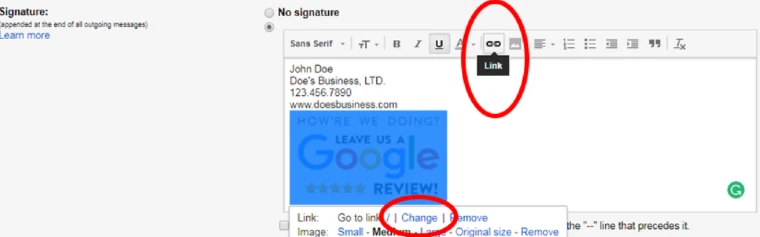
Including a Google review link in your email signature is an easy, subtle way to ask for reviews without asking directly. For example:
- Happy with our service? Let others know by leaving a Google review!
- Help others find us—leave your review [here].
- Love [Business Name]? Tell others about us with a quick review.
This method is especially effective if you regularly communicate with clients via email.
17. Create a Google Review Instruction Video
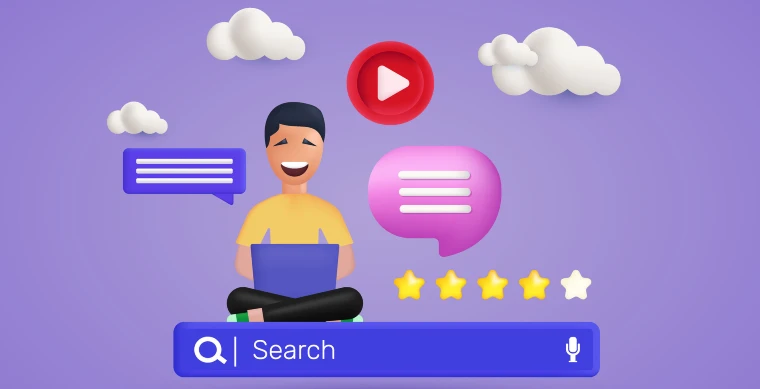
Sometimes, even with a shortcut link, customers might hesitate to leave a review. Maybe they’re unsure how it works, or they just need a little nudge. A simple solution? Create a quick video that walks them through the process of leaving a Google review for your business. With today’s easy-to-use video tools, putting together something straightforward and helpful is a lot less complicated than you might think.
18. Don’t Let Them Forget: Set Up Review Reminders

People get busy, and even the happiest customers can forget to leave a review. That’s where a Google review reminder system comes in. Whether it’s a friendly email, a quick follow-up text, or even an automated message, these reminders can make all the difference. Think of it like planting little seeds of encouragement to keep the positive feedback coming consistently.
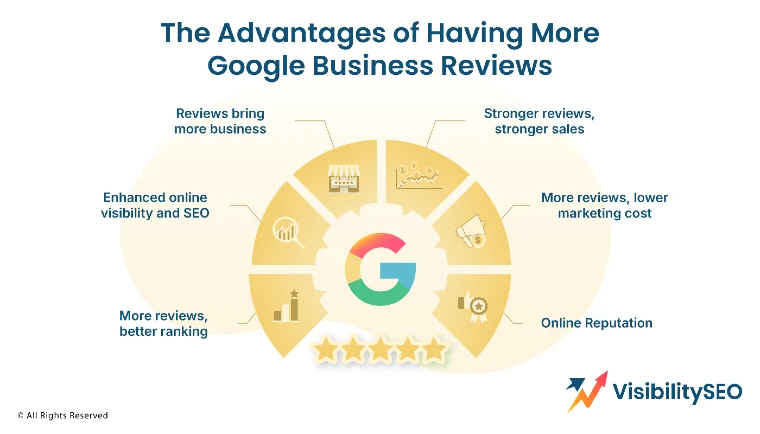
The Advantages of Having More Google Business Reviews
Online reviews aren’t just words on a screen. They’re trust builders, sales drivers, and a key to standing out. Let’s talk about why they matter more than you might think.
- Reviews bring more business:
People trust people. A glowing review? It’s like a personal recommendation from a friend. If others love what you offer, new customers are far more likely to give you a chance.
- Stronger reviews, stronger sales:
Great reviews don’t just build credibility—they create urgency. They nudge hesitant buyers over the line. After all, everybody wants to try something that’s already a hit.
- More reviews, better ranking:
Search engines love reviews. The more you have, the more visible you become. It’s like giving your business a megaphone on the crowded streets of the internet.
- More reviews, lower marketing costs:
Why overpay for ads when your customers can do the talking? Reviews are free marketing. They build trust, bring in leads, and save your dollars for other priorities.
- Enhanced Online Visibility And SEO:
Reviews don’t just attract customers—they attract Google. They boost your local SEO rankings, helping more people find you when they’re searching for what you offer.
- Online Reputation:
Your reviews are your story. They shape how people see you before they even interact with your business.

Make Google Reviews Easy for Your Customers
The truth is, consumers trust the opinions of other consumers. In fact, many people view reviews from strangers as just as trustworthy as personal recommendations. Take advantage of this by regularly asking your customers to leave reviews for your business on Google.
By making the process simple and straightforward, you’ll likely see more Google reviews on your listing, and with them, the added benefits of improved rankings, a stronger reputation, and increased revenue.
FAQs
Can everyone see your Google reviews?
Reviews, photos, and ratings on Google Maps are always public and anyone can view your contributions on your profile unless you opt to restrict them.
Can you leave a Google review without an account?
No, you must have a Google account to leave a review.
Can a Google review be hidden?
No, business owners cannot hide reviews. There are two scenarios where a review might be removed from public view: either Google determined the review was not genuine and removed it, or the business owner reported it to Google, and Google agreed with their request to take it down.
How to remove Google reviews?
Business owners cannot delete reviews, but they can flag them. Google will then assess the review to decide if it violates their policies and should be removed.

- SEO Consultant vs SEO Agency – What is the Difference? - June 25, 2026
- FAQ Schema: A Simple SEO Trick for Better Visibility - December 20, 2025
- What Is YMYL and Why It Matters for SEO? - December 16, 2025