Google penalties are like getting a foul in sports. They’re meant to punish websites that break the rules. Sometimes, the penalty is given by a real person at Google. Other times, it happens automatically.
Many websites don’t even realize they’ve done something wrong. But the impact is huge. Your site can drop in search rankings or even disappear from results altogether.
We’ve seen this happen to clients who didn’t even know they were at risk. It’s frustrating but fixable, and that’s where we come in. Our job is to help you understand what went wrong and get your site back on track.
What is a Google Penalty and Why is It Important?
Google penalties are punishments that can hurt your website’s rankings or even remove it from search results. These penalties happen when Google thinks a site broke the rules or used bad SEO tactics, called black hat SEO.
Penalties can be given by Google’s team (manual actions) or automatically by algorithms.
When a site gets a penalty, it loses rankings and becomes harder to find on Google. This means less traffic, fewer conversions, and a loss of trust for your site. That’s why it’s so important to know what causes these penalties, what they look like, and how to fix them.
If you hire someone to do SEO for your site, double-check their methods. Make sure they follow Google’s rules and use white hat SEO strategies that are safe and approved.
A good SEO provider will know how to avoid penalties and keep your site running smoothly.
Types of Google Penalties
Google penalties are classified into two categories: manual and algorithmic.

Manual Penalties
A manual penalty, also called a “manual action” by Google, happens when a real person from Google’s Quality Team decides a website has broken the rules.
These team members, known as Quality Raters, also check if a site falls into the YMYL (Your Money or Your Life) category, which we explained in our Medic update article.
But could some of these so-called “manual” penalties actually come from AI? It’s possible, since Google is always improving how its AI works.
Most manual penalties happen because of things like fake backlinks or risky link-building strategies. Google is very strict about this. If your site gets hit with a penalty, fixing the problem and asking for a review is the only way to regain your spot in search rankings.
Algorithmic Penalties
Every year, Google updates its algorithm to improve search results. Some of the most well-known updates include Panda, Penguin, Pigeon, and Hummingbird.
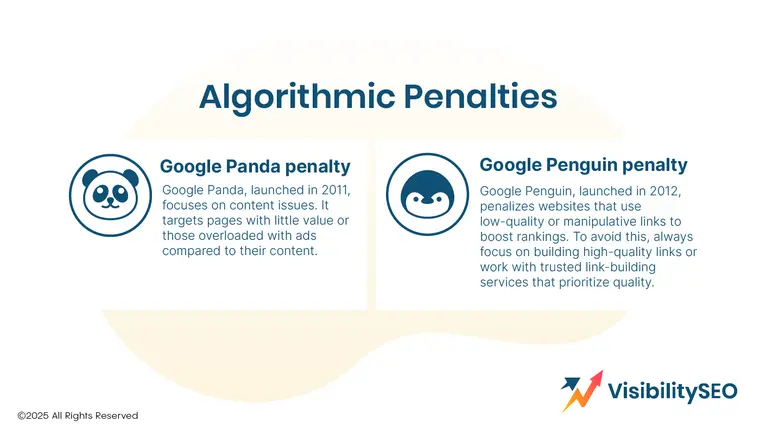
These updates have different purposes.
- Panda lowers the rank of websites with issues like keyword stuffing, grammar mistakes, or poor-quality content.
- Penguin targets websites using shady link-building practices.
- Pigeon reward sites with strong local signals
- Hummingbird favors mobile-friendly pages.
Have you heard about updates like Page Experience or Mobile-First Indexing? These focus on improving user experience and mobile compatibility.
When Google rolls out an update, some websites might lose rankings. This can happen if they broke the rules or if other sites now align better with the new ranking factors. For example, many of our client websites saw changes in their traffic after the BERT update.
Google’s updates are all about improving the web. It’s important for websites to keep up and follow their guidelines.
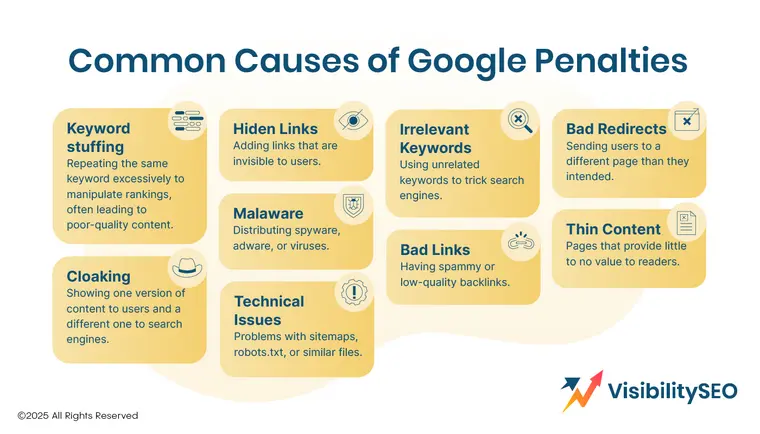
Common Causes of Google Penalties
Google can penalize your website for several reasons. Here are some common ones:
- Unnatural links to your website: Links from other sites that try to trick search rankings by pointing to your site.
- Unnatural links from your site: Links on your site that seem fake, irrelevant, or paid, leading users to other sites.
- Low-quality content: Pages with little useful info or generic content that don’t help readers.
- Cloaked images: Images that show one thing to users but something different to search engines.
- Spam from third parties: Spam content posted by other people on your site, like in forums or comments.
- User-generated spam: Spam created by visitors in comment sections or forums on your site.
- Spammy web host: If your hosting company has a history of hosting spam, your site could be guilty by association.
- Structured data problems: Misleading or incorrect schema markup that confuses or tricks search engines.
- Cloaking or sneaky redirects: Showing different pages to users and search engines to game the system.
- Mobile-only redirects: Sending mobile users to different pages than desktop users or search engines.
- Breaking Google’s News or Discover rules: Violating guidelines for appearing on Google News or Discover pages.
- Keyword stuffing: Overloading your pages with keywords to manipulate search rankings.
Detect a Google Penalty
Dealing with Google penalties isn’t easy. It’s not like Google sends you a clear note explaining what went wrong. So, how do you know if there’s a problem?
That’s where Google penalty checker tools come in. These tools can help you figure out if something’s off with your website traffic.
Here are some of the best tools to check if your site has been hit by a penalty.
Google Search Console
To figure out if your website has a problem or is under a Google penalty, you need to check the source.
If you have a manual penalty, you’ll see a notification there. You can then fix the issues and ask Google to remove the penalty.
This should be one of the first places you check if you notice a big drop in traffic on Google Analytics.
Search Console also has helpful links and resources to guide you. If you get a penalty, it’s a great place to find steps to fix the problem.
Analytics Tools
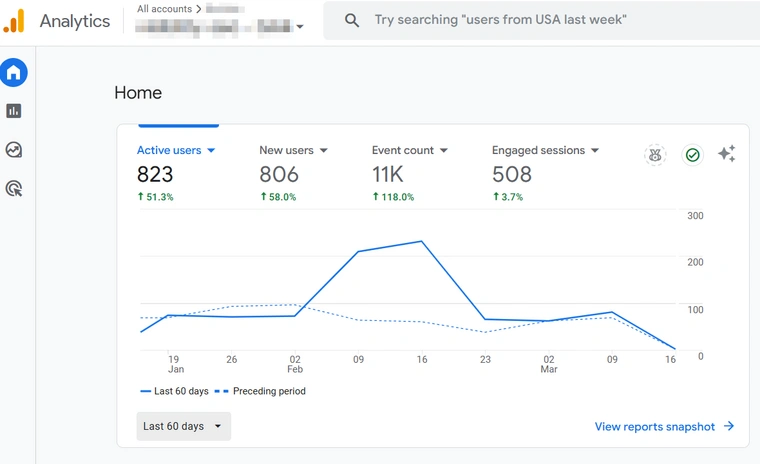
If your site’s traffic has dropped, analytics tools can also help you figure out why. Try Google Analytics. Check for big changes in your traffic patterns or sudden drops in visitors. Look at where your traffic comes from and compare it to past data.
Use these tools to gather clues. They’ll help you understand if something went wrong and guide you toward fixing it.
Third-Party SEO Tools
Think your website might have a Google penalty? Some tools can help you find out.
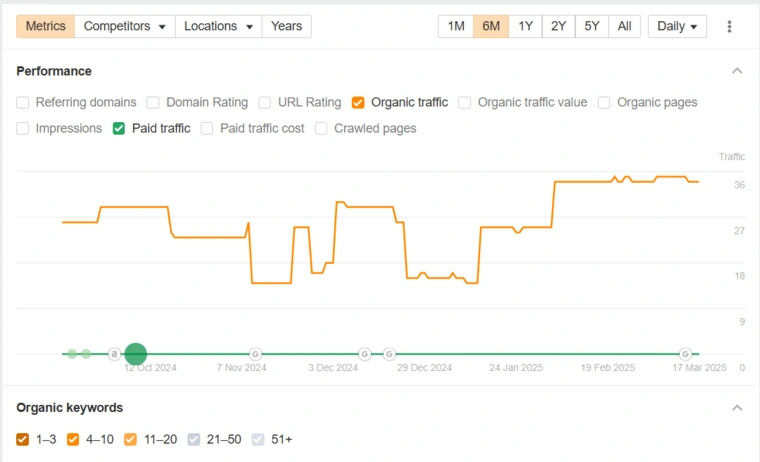
Ahrefs is a good one. It shows if you’ve lost backlinks recently. Losing links could mean something’s wrong. SEMrush is another great tool. It tracks your keywords and compares your rankings to other websites.
These tools give you clues. They point out problems so you can fix them fast.
How Soon Will My Site Recover from a Google Penalty?
Getting hit with a Google penalty can be tough. The good news is, you can recover from any Google penalty.
However, fixing it isn’t easy and takes a lot of work. If you’re not sure how to handle it, it’s a good idea to hire a SEO agency that offers Google penalty recovery services.
How long it takes to recover depends on the kind of penalty:
- If you receive a manual penalty, it usually takes 10 to 30 days to recover. Why does it take so long? It depends on how quickly someone from Google reviews your changes. Want to speed things up? You can email them and ask for a faster review.
- Algorithmic penalties are way harder. Recovery can take over 6 months, sometimes longer. There are so many factors that play into it. The key is to earn Google’s trust again by improving your site step by step.
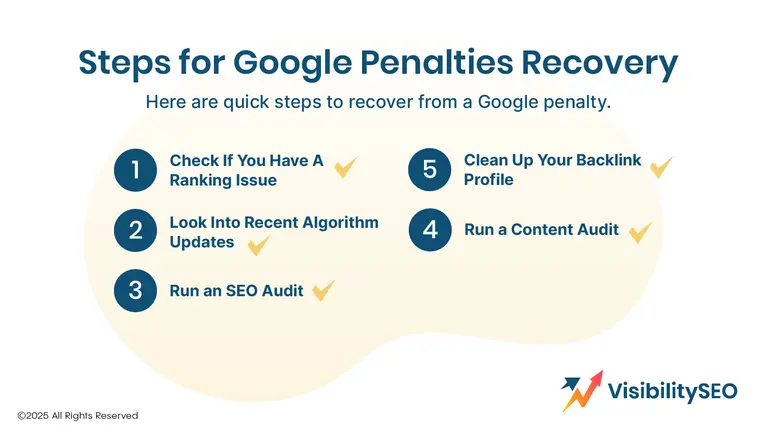
Steps for Google Penalties Recovery
Think Google gave your site a penalty? Don’t stress. I’ve got a simple, step-by-step process to help you fix it. I’ve used this method with clients, and it works. Tons of businesses have bounced back fast using these steps. Here’s what to do.
1. Check If You Have a Ranking Issue
Before fixing anything, you need to figure out what’s wrong. Guessing or making random changes won’t work. Start here to check for ranking problems:
- Check Google Analytics
Go to Google Analytics and make sure your tracking code is set up correctly. You’d be surprised how often this is the issue. Use the Google Analytics Debugger extension to double-check.
- Look for Manual Penalties
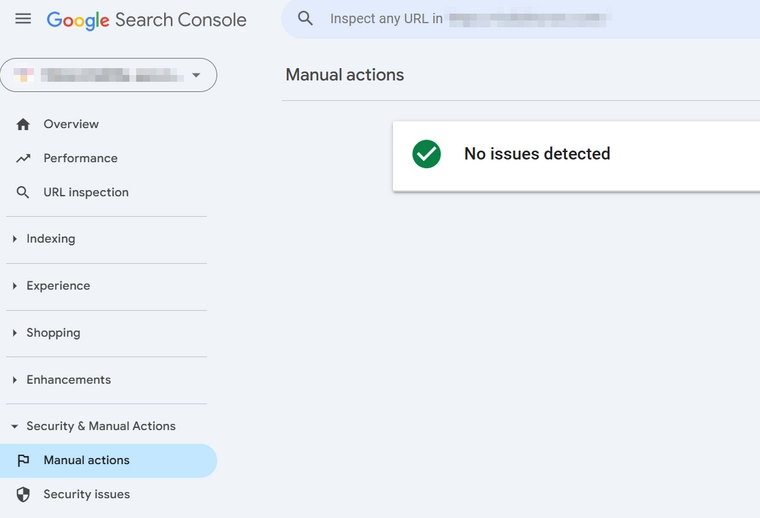
Log into Google Search Console and check for manual penalties. Click on “Security & Manual Actions”, then “Manual Actions”. If you see any errors here, your site might have been penalized. Manual penalties are tough to fix. If you’re stuck, contact our SEO experts.
- Check for Errors in Google Search Console
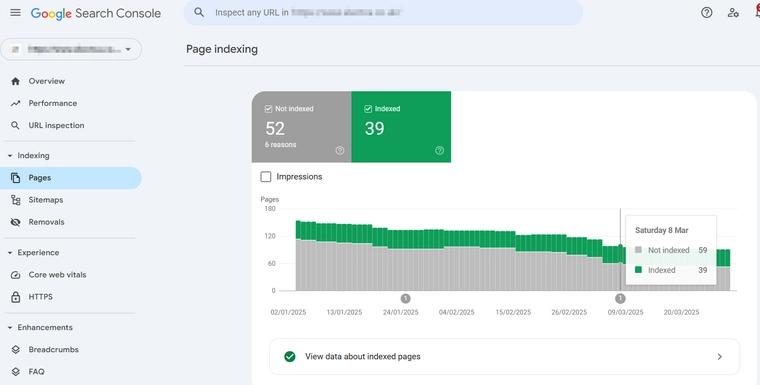
Google Search Console is great for finding indexing and performance issues. Go to “Indexing” > “Pages” to see coverage errors.
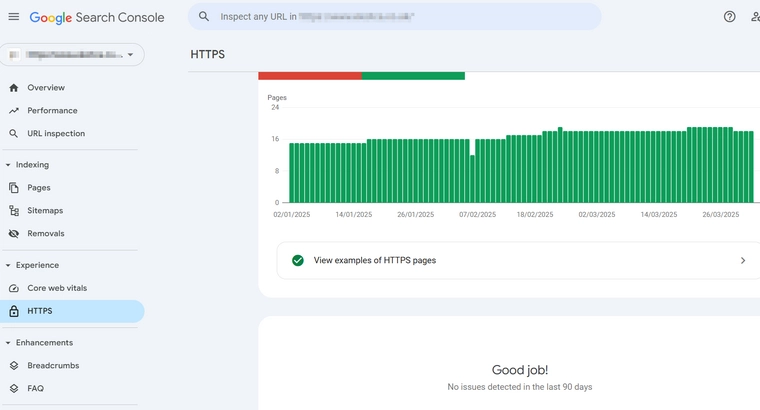
Then, check “Experience” reports for:
-
- Page experience
- HTTPS
If you see problems, don’t panic. Fix each one step by step and submit them for validation. Search Console will flag major errors that could hurt rankings.
- Review Recent Site Changes
Still no luck? Check if anyone on your team made big changes to the site in the last three months. Sometimes even small tweaks can mess things up.
2. Look Into Recent Algorithm Updates
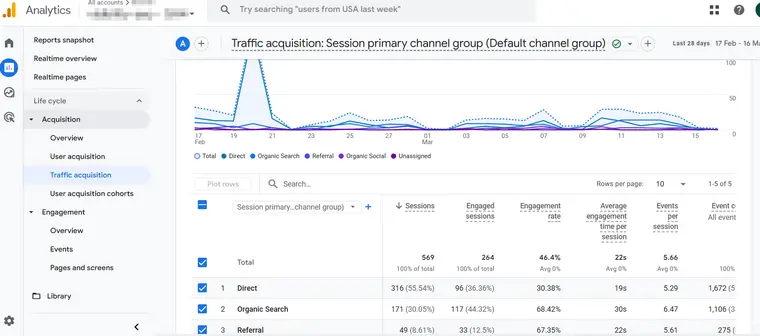
Google updates its algorithm all the time. These changes can cause your website traffic and performance to drop. Sometimes, they can even lead to penalties.
Here’s what you need to do:
- Watch out for Google algorithm updates.
- Take action when your site is affected.
If your site’s performance dropped, check if it lines up with a recent update. Look at what the update was about and adjust your website to match the new rules.
Over the years, tools have been created to help identify which updates affected your site the most. Use a Google penalty checker to dig deeper into the issue and fix it.

3. Do an SEO Audit
You should run an SEO audit on your site every 6-12 months.
Here’s the deal:
Doing a full technical SEO audit is tricky if you’re not an expert. It takes special skills that most professional SEOs have. If you’re not sure how to do it, contact our agency for help.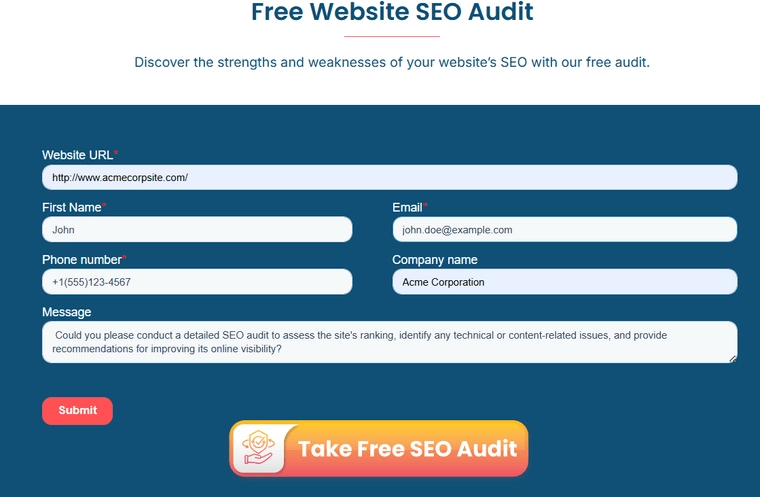
Want to try it on your own?
Follow these 5 simple steps:
-
- Ask your users – Run a survey to get feedback directly from your visitors.
- Look for problems yourself – Spend some time exploring your site. Notice anything that could be better?
- Check for technical issues – Do a quick technical SEO check to spot errors that need fixing.
- Use an SEO tool – Run an audit with a reliable SEO tool to uncover deeper issues.
- Make a plan – Use everything you’ve found to create a strategy for fixing the problems.

4. Run a Content Audit
Your content is the face of your website. Good content builds your business. Bad content hurts it.
A content audit helps you spot issues with:
-
- Quality – Is the content well-written and helpful?
- Relevance – Is it still useful and up-to-date?
We recommend using Surfer SEO for content audits. It can:
-
- Analyze each page
- Review your content
- Suggest ways to improve
It’s easy to use. Surfer SEO does the hard work and gives you clear recommendations.
5. Clean Up Your Backlink Profile
If your website has been hit with a Google penalty, cleaning up your bad links is key. Here’s how you can do it yourself step by step:
- Find and Identify Bad Links
First, you need to figure out which links are hurting your site. To do this, run a backlink audit. You’ll need two tools:
-
- Google Search Console: Log in, click “Links” on the left sidebar, then export the list of external links.
- Moz Open Site Explorer: Create a free account on Moz, add your site, and export the list of backlinks it finds.
Now, you’ll have two lists of links pointing to your site. But not every link on those lists is bad. You’ll need to go through each link to find the harmful ones. To make this easier, use a tool like Monitor Backlinks.
Upload both lists into Monitor Backlinks. It will combine your lists and add links from tools like Google Analytics and Ahrefs so you don’t miss anything. Use it to evaluate each link and mark the bad ones.
- Ask for Link Removal
Once you’ve got your list of bad links, it’s time to reach out to the site owners and ask them to remove the links. Be polite when requesting link removals. A friendly tone goes a long way, they’re doing you a favor!
- Disavow Unremovable Links
Some site owners won’t respond, even after a few follow-ups. When that happens, disavowing the bad links is your next step.
Disavowing means telling Google to ignore certain links. If done right, those links won’t hurt your site anymore.
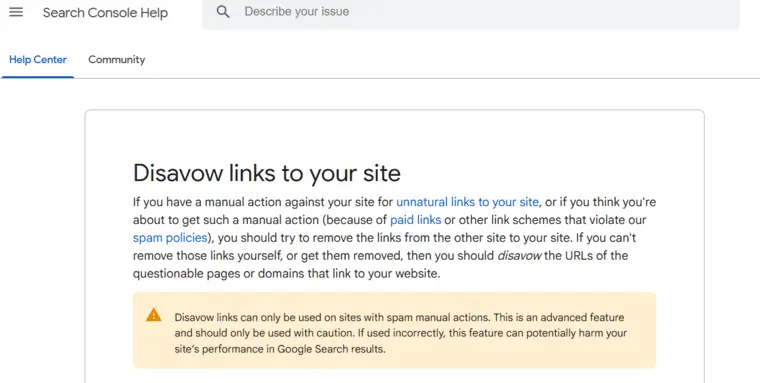
Here’s how to disavow links:
- Create a disavow report.
- Choose the bad links from your list and save the report.
- Submit it to Google using the Disavow Tool.
Double-check your list before submitting so you don’t accidentally disavow good links.
Cleaning up bad links takes time, but it’s worth it to recover your site’s ranking. Stay patient and follow these steps!

Protect Your Site from Future Google Penalties
It’s always better to prevent problems than fix them later. Here’s how to protect your website from Google penalties:
- Follow the Rules: Stick to Google’s Webmaster Guidelines. They’re your roadmap.
- Create Great Content: Write helpful, original, and well-researched articles. Aim to provide value to your readers.
- Check Your Site Regularly: Run audits often to spot issues with links, content, or technical SEO.
- Avoid Bad Tricks: Don’t use shady methods like keyword stuffing, hidden text, or link schemes. They may work for a moment but will hurt your site in the long run.
- Keep an Eye on Links: Use tools like Google Search Console to watch your backlinks. Remove or disavow harmful ones fast.
FAQs
What causes most penalties today?
Most penalties happen because people break the rules. Things like stuffing too many keywords, hiding text, or using bad links can get your site in trouble. These tricks might work for a bit, but they don’t last.
Search engines catch on quickly. To avoid problems, play it fair and stay honest with how you manage your site.
How do I know if my website has been penalized?
To check for penalties on your site, log into your Google Webmaster account. Go to “Search Traffic” and click on “Manual Actions.” If there are no penalties, you’ll see a message that says, “No manual webspam actions found.” But if there is a penalty, it will be one of two types.
Can a Google penalty be reversed without making significant website changes?
Yes, you can fix a Google penalty, but it takes work.
First, figure out what went wrong. Use tools like Google Search Console to spot the problem. Is it broken links? Duplicate content? Bad-quality links? Fix those issues right away. Then, ask Google to review your site again by submitting a reconsideration request. Will it take time? Probably. But if you stick with it and put in the effort, your website can bounce back.
Can internal linking practices contribute to a Google penalty?
Yes, bad internal linking can get your site in trouble with Google. If you use the same anchor text too many times, it can look fake. Linking to pages that don’t make sense together can also hurt your site.
To stay safe, make sure your links feel natural, connect to relevant pages, and actually help users.

- SEO Consultant vs SEO Agency – What is the Difference? - June 25, 2026
- FAQ Schema: A Simple SEO Trick for Better Visibility - December 20, 2025
- What Is YMYL and Why It Matters for SEO? - December 16, 2025