SEO is key in a competitive online world. 68% of online experiences start with a search query on Google. Being at the top of search results has many benefits. It increases organic traffic and your site’s credibility. This article will talk about SEO strategies for your website.
What is SEO Friendly Website?
An SEO-friendly website follows the rules and is designed to rank on search engines. It should be fast, easy for search engines to crawl and have high-quality, unique content. Your website needs to be found by Google, crawled and indexed. Poor design, irrelevant content or slow load time can hurt your search engine rankings.
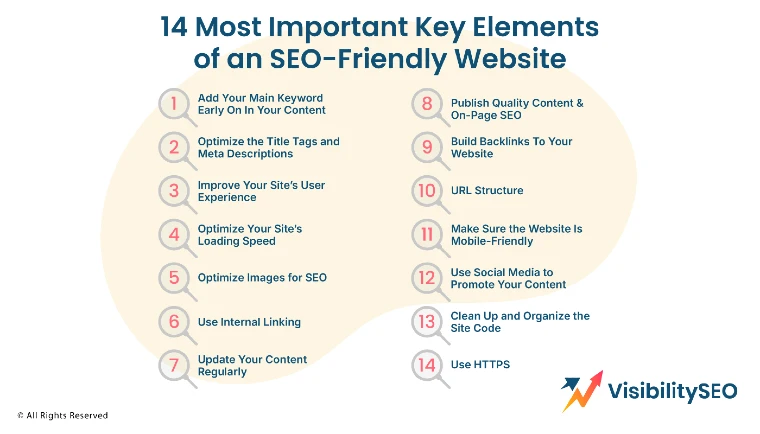
14 Most Important Key Elements of an SEO Friendly Website
Having an SEO-friendly website is important to reach more people online. To do this, focus on the key elements that will make your site rank higher in search results.
1. Add Your Main Keyword Early on in Your Content
Creating unique and relevant content is vital for any website. It attracts traffic and generates leads. SEO content increases your domain authority and helps you rank for relevant search terms. To do this, do keyword research to find both high and low competition keywords.
Long-tail keywords, which are specific, help generate qualified leads. Choose the best content format, infographics, videos or blogs. Also, make your content educational and easy to understand. Use targeted keywords to make your web pages appear on relevant SERPs and improve SEO.
2. Optimize the Title Tags and Meta Descriptions
Title tags and meta descriptions are super important for your website. They are like little previews of your page that people see in search results. A good title tag grabs attention fast. A great meta description explains what your page is about in just a sentence or two.

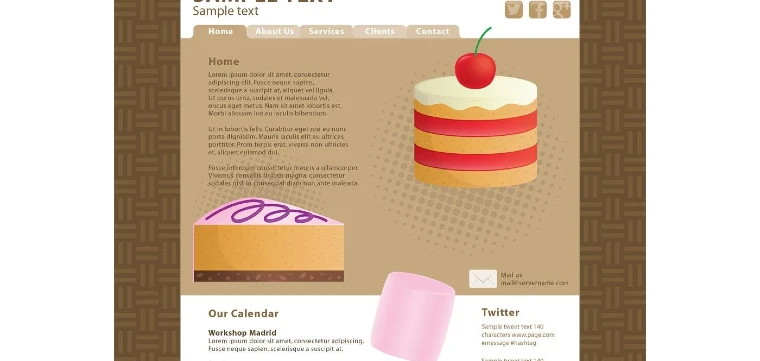
For example, at Visibility SEO, we updated the meta description for a local bakery’s website. It went from “Welcome to our bakery” to “Freshly baked bread and cakes daily. Visit us for the sweetest treats in town!” Guess what? Their website clicks doubled in a week! That’s how powerful these can be. Simple changes can lead to big results.
3. Improve Your Site’s User Experience
UX includes ease of use and visual appeal. How easy is it to find your ‘buy now’ buttons or the ‘contact us’ page? UX and SEO work together to create high ranking websites. Good UX design improves engagement, site traffic and rankings. Focus on the user’s experience after they arrive on your site. Website UX involves design, layout and interaction.

Search engines now prioritize user behavior over just keywords and backlinks. Keep SEO and UX updated for better rankings, and use website builders to create quality sites with great UX. Smart optimization decisions improve user experience and strengthen SEO.
4. Improve Your Site’s Loading Speed
Search engines prioritize fast loading websites for better user experience. A slow site can hurt SEO, user satisfaction and search engine crawling. To optimize, reduce server response time and compress images.
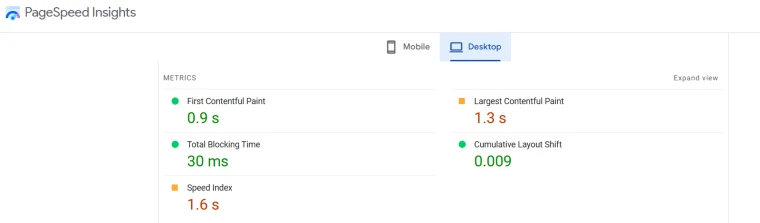
Implement browser caching to store files locally and use a CDN to distribute content globally. Consider upgrading to better web hosting for increased bandwidth. Use tools like Google PageSpeed Insights to check performance and get tips to improve loading speed.
5. Optimize Images for SEO
Optimizing images for SEO improves your website’s visibility in search engines. Use clear file names with relevant keywords for each image. This helps search engines understand the image’s content. Reduce image sizes to avoid slowing down your page, which can hurt SEO. Compress images to maintain quality while reducing size.
Tools like Smush can help WordPress users with this. Add alternative text to describe the image’s content. This helps search engines identify the image context and improve SEO. Use short captions under your images to provide more context and enhance user experience.
6. Use Internal Linking
Internal linking involves adding hyperlinks within your content to connect with other pages on your website. This forms a network of interconnected content, aiding search engines in understanding the structure and relevance of each page.
You can incorporate internal links in text, images, or buttons, ensuring the connected pages are relevant. Also, use anchor texts that fit the context of the target pages.
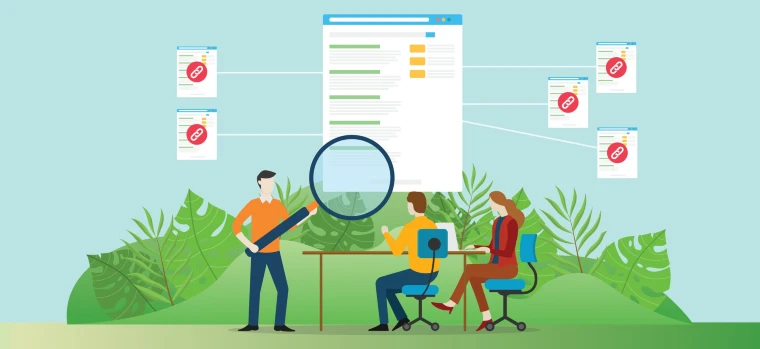
Strategic internal linking can lower bounce rates, helping visitors find content and navigate more easily. Linking-related content encourages exploration of your site. However, avoid excessive links to prevent cluttered content and a poor user experience.
Tools like Internal Link Whisper, Yoast SEO, and Link Juicer can optimize internal linking and improve SEO.
7. Update Your Content Regularly
Creating new content regularly helps SEO. Sometimes, it’s hard to find fresh ideas. In those cases, update older content to boost your site’s SEO.
Alternating between new and updated content keeps visitors engaged and attracts new ones. Write content that fits current issues to hold your audience’s interest.
Good SEO strategies need to be paired with useful information, so be sure to create content that provides value to build your brand’s reputation.
8. Publish Quality Content & On-Page SEO
Quality content is key to SEO success. Write original and informative pieces. Focus on your target audience’s needs and interests.
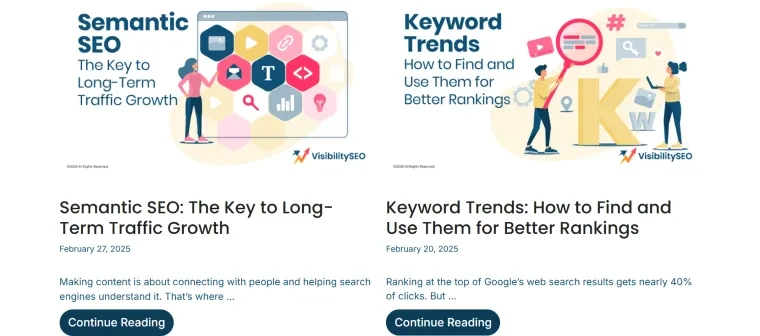
Use clear language and straightforward facts and avoid jargon to keep your content accessible. Organize content logically with subheadings and bullet points, and include relevant keywords naturally within the text.
Great content attracts backlinks from other websites, amplifying your site’s authority. Consistently produce and publish content to sustain interest. Always aim for concise and accurate information.
9. Build Backlinks To Your Website
Backlinks are crucial for SEO. They help establish your site authority. You can gain backlinks through guest blogging.
Collaborate with others to write relevant articles and share them on popular platforms. Focus on building strong relationships, as networking can open new opportunities for link-building. Use tools to analyze your backlink profile.
Understand where your links are coming from. Aim for a balanced and natural link profile. Keep monitoring your backlinks regularly.
10. URL Structure

A clean URL structure is key for an SEO-friendly website. An SEO-friendly URL should be easy to read, simple to understand, and related to the page’s content.
Search engines use URLs to crawl and index websites, so SEO-friendly URLs help them understand the page’s content. Include the target keyword in the URL.
For example, a page about keyword trends could have this URL: www.examplewebsite.com/keyword trends.
Avoid long query strings with numbers, like /top-14-seo-website-practises-in-2025-for-seo-professionals. These are hard to read and less SEO-friendly.
With SEO-friendly URLs, search engines can crawl your website more efficiently, improving your site’s rank in relevant search results.
11. Make Sure the Website Is Mobile-Friendly
Designing for the web isn’t perfect, right? It’s all about tweaking and improving as you go. Let’s talk about a few things to focus on:
- Make it responsive: Ever resized your browser and everything went wonky? Annoying, right? Responsive design makes sure your site looks great everywhere—desktop, tablet, phone. Because, who sticks to one device?
- Make it touch-friendly: How many times a day do you tap your screen? Tons. So, buttons? Big. Spacing? Comfortable. No one likes misclicking. Frustrating moments like that? Totally avoidable.
- Use appropriate font sizes: Tiny text. Big problem. If people are squinting, they’re leaving. Fonts should be clear, stylish, and easy to read. A good balance goes a long way.
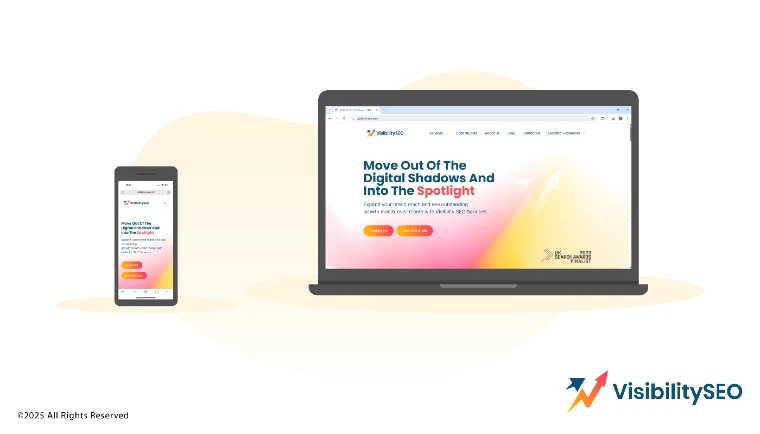
Having a mobile-friendly website is super important. I’ve seen this firsthand while working with Visibility SEO. One of our clients struggled with losing visitors because their site didn’t work well on phones. After making it mobile-friendly, their traffic went up 40%! When your site is easy to use on any device, people stick around longer. Search engines like that too. It’s not just about looks—it’s about keeping visitors happy and helping your site rank better.
12. Use Social Media to Promote Your Content
Social media is one of the best ways to share your work. It’s where everyone spends time these days. Post your content on platforms like Instagram, TikTok, or Facebook.
Make it catchy. Use pictures, videos, or fun captions to grab attention. Talk to your audience, ask questions, and reply to comments. The more you connect, the more people will care. Keep it real and be consistent. People will notice.
13. Clean Up and Organize the Site Code
We’ve learned that cleaning up your site’s code makes a huge difference. Messy, outdated code can slow down your website and frustrate visitors. Think about it—have you ever left a website because it took forever to load?
One of our clients at Visibility SEO had this problem. Their site was so slow, people left right away. We helped by tidying up their code, removing what wasn’t needed, and making it more efficient. The result? Their bounce rate dropped by 30%!
A clean site runs faster, works better, and keeps visitors coming back. It’s like organizing your room—everything runs smoother when it’s not a mess.
14. Use HTTPS
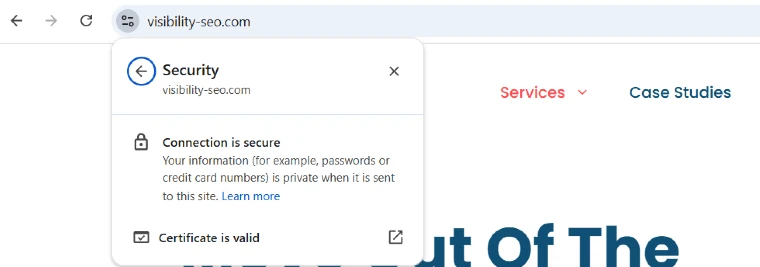
HTTPS is like a security guard for your website. It keeps information safe when people visit or share things, like passwords or credit card numbers.
If your site doesn’t have HTTPS, visitors might see a warning that says it’s not secure. That scares people away!
Switching to HTTPS shows you care about privacy and safety. It makes visitors trust your site and helps it perform better in search engines. Simple fix, big rewards.
The Importance of an SEO-Friendly Website
Applying SEO strategies to a website will have a number of positive effects, among which the most important are:
Increased Organic Visibility
Think of search engines as the roads of the internet. When people have questions or need something, they turn to search engines. SEO helps your website get noticed by potential customers. Keyword improvements make your website searchable. This helps search engines find your content and show it to users.
The higher your site ranks on SERPs, the more visitors you get. Organic traffic is valuable because it includes people interested in your product or service. Targeting people who are actively looking for what you offer leads to more customers.
Better User Experience
SEO isn’t just about rankings—it’s about creating a site people actually enjoy using. Is your site fast? Mobile-friendly? Easy to navigate? If not, it’s time to rethink. A well-structured site with good design and clear calls to action does more than boost rankings—it improves accessibility, usability, and, most importantly, leaves visitors satisfied. Isn’t that the goal?
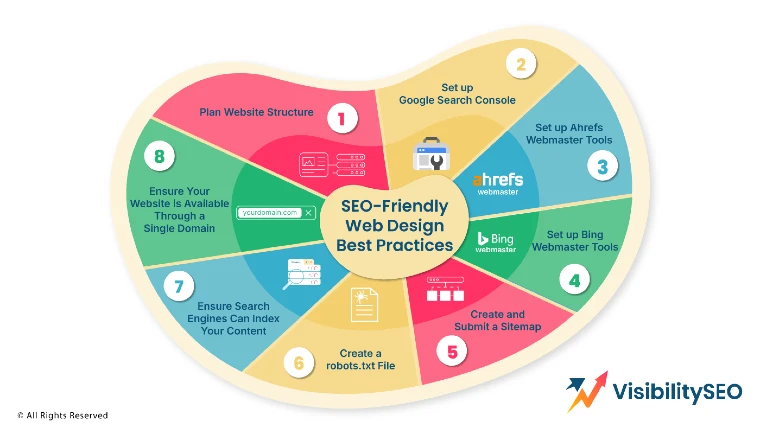
SEO-Friendly Website Design Best Practices
1. Plan Website Structure
Before making a website, we map out its structure. Think of it like creating a blueprint for a house.

We decide what pages we need, like Home, About, and Contact. For example, we start with a simple site map so visitors can easily find what they need. A clear structure helps search engines rank your website.
2. Set up Google Search Console
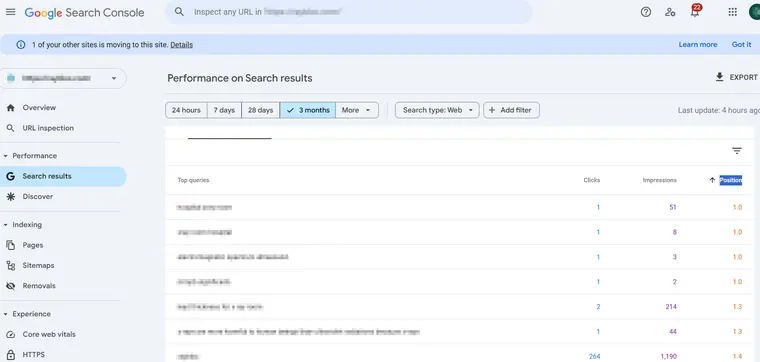
Ever wonder how your site’s doing on Google? Google Search Console here to help. It spots issues—broken links, missing pages, the usual suspects. Setup’s simple: sign in, add your site, verify. Then? Insights. Fix what’s broken, tweak what’s not. Because let’s face it, every site has room to grow, right?
3. Set up Ahrefs Webmaster Tools
Ahrefs Webmaster Tools is like a magnifying glass for your website. It shows you how your site ranks and where it can improve. You can find issues like missing backlinks or slow-loading pages. Setting it up gives you a clear picture of how search engines see your website. It’s a great way to boost your site’s SEO performance.
4. Set up Bing Webmaster Tools
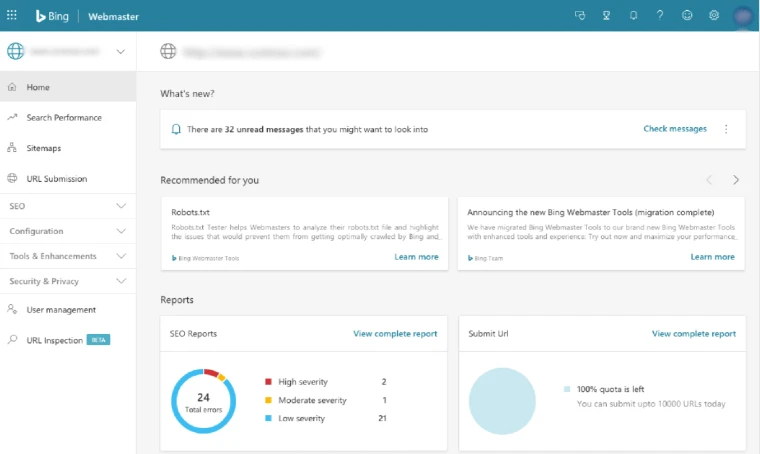
Not everyone sticks to Google, right? Bing’s out there too. So, why ignore it? Bing Webmaster Tools makes it simple to track performance—totally free. Curious how people find your site? Want to fix errors or boost rankings? Don’t overlook Bing. It could bring in those extra, unexpected visitors. Worth a shot?
5. Create and Submit a Sitemap
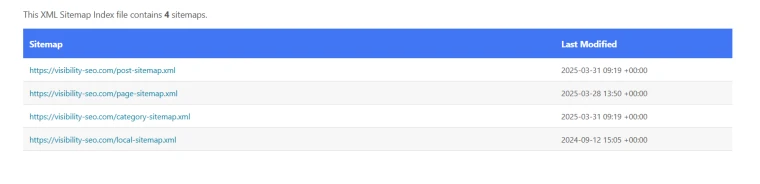
A sitemap tells search engines what pages your site has. It’s like a guidebook for your website. We use tools to quickly generate sitemaps for clients. Then we submit it to Google and Bing so they can crawl the site easily. Without a sitemap, search engines might miss important pages, leaving them out of search results.
6. Create a robots.txt File
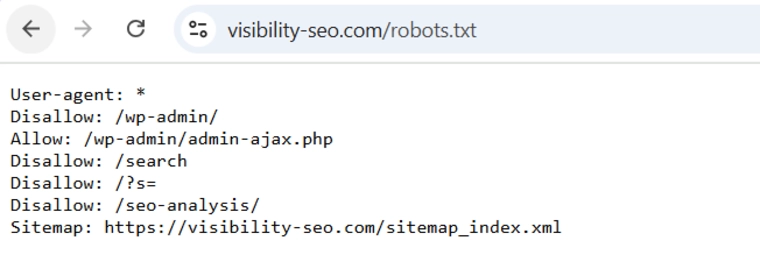
The robots.txt file tells search engines which pages they can or can’t visit. Think of it as setting boundaries. For example, you might not want search engines to crawl private pages like admin sections. Creating one is simple—it’s just a text file. Once uploaded, it ensures crawlers focus on the pages you care about most.
7. Ensure Search Engines Can Index Your Content
Indexing means search engines can understand and show your pages in search results. If your site isn’t indexed, no one will find it online! Use tools like Google Search Console to check if your pages are indexed. Fix issues like hidden content or errors so search engines can easily read everything on your site.
8. Ensure Your Website is Available Through a Single Domain
Your website should work on one version of its address, like “https://example.com” not “http://example.com” or “www.example.com”.
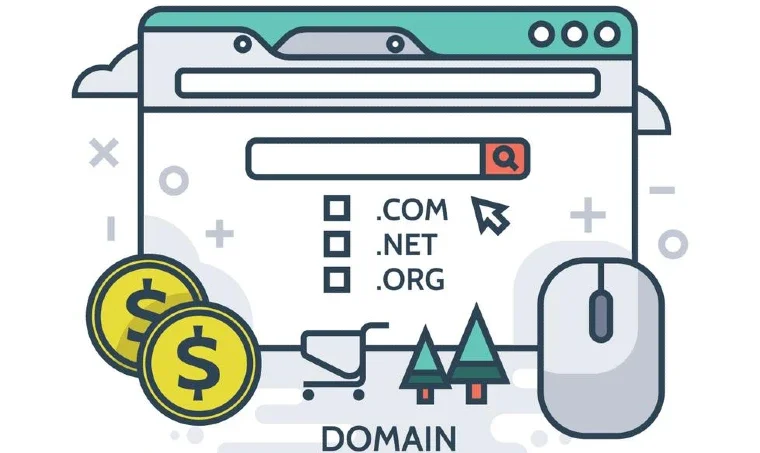
We always check this for our clients. Having multiple versions confuses search engines and splits your traffic. Redirect all versions to a single domain to keep things simple and improve rankings.
Time to Make Your Website SEO-Friendly
At Visibility SEO, we believe every website can rank better. We know SEO can feel tricky, but that’s why we’re here to help. Our team works hard to make your site easy to find on search engines. We fix the little things that make a big difference, like loading speed, clear keywords, and mobile readiness. When your website does better, your business grows. Let us take the guesswork out of SEO for you. Reach out today, and we’ll get started!
FAQs
How do I know if my content is SEO friendly?
Making your content SEO-friendly isn’t always easy, right? There’s a lot to think about. But here are some tips to get you on track:
- Keywords? Use them naturally—no keyword stuffing!
- Create content that’s useful, fresh, and worth reading.
- Clear headings. Subheadings. Structure matters.
- Got links? Use them wisely—internal and external.
- Don’t forget images: alt text and good file names go a long way.
- Slow load times? Fix that. Optimize resources.
- And hey, keep it updated. Stale content doesn’t help anyone.
Will my website automatically rank well if I follow all SEO best practices?
There are no guaranteed tricks to rank your site first on Google. Some tips might not suit your business, but following best practices can help search engines crawl, index, and understand your content better, improving your chances of ranking well.
How can I improve my website’s URL structure for SEO?
Crafting great URLs isn’t rocket science, but it’s easy to overthink, isn’t it? Let’s break it down. Here are a few tips to keep in mind—imperfections included:
- Keep URLs short, descriptive, and readable – Ever seen a URL that looks like random gibberish? Don’t be that person. Aim for clarity and brevity so users (and search engines) know what’s inside.
- Include target keywords – Keywords matter. But don’t stuff them in like you’re cramming for a test. Add them naturally—just enough to tell search engines what the page is about.
- Use hyphens (-) – Spaces in URLs? Nope. Underscores? Also no. Hyphens are the MVP here. They’re clean, simple, and make URLs easier to read.
- Avoid unnecessary characters – Extra characters like &, %, or #? They’re clutter. Strip them out. A URL should feel as smooth as a well-edited sentence—no fluff, no distractions.
- Create a logical folder structure – Organize your URLs like you’d organize your kitchen. Everything in its place, easy to find. A clear structure makes navigation effortless for everyone.
- Ensure consistency – Consistency is key. Whether it’s lowercase letters, hyphen use, or folder naming, stick to a system.

- SEO Consultant vs SEO Agency – What is the Difference? - June 25, 2026
- FAQ Schema: A Simple SEO Trick for Better Visibility - December 20, 2025
- What Is YMYL and Why It Matters for SEO? - December 16, 2025