Making a good website means giving visitors a good experience. A big part of that is user experience (UX). This means your website should be easy to use, simple to navigate and make it easy for people to get in touch or become customers.
At Visibility SEO, we know starting with UX can feel overwhelming. That’s why we’re here to help. Let’s break it down step by step and get your website moving in the right direction.
What is User Experience (UX) Design?
User experience design is the process of making a product or service easy and enjoyable to use. It looks at the whole experience, from how the product works to how it looks and feels. It also includes things like branding and making sure the product is simple to understand. The goal? To create products that people find helpful and easy to use.
Why is UX Design Important?
A good user experience keeps people coming back. If a product is easy to use and solves a problem, it builds trust and can boost sales.
But if it’s confusing, frustrating, or doesn’t help, people will leave and find something better. This hurts both the company’s reputation and its income.
The UX Design Process in 5 Steps
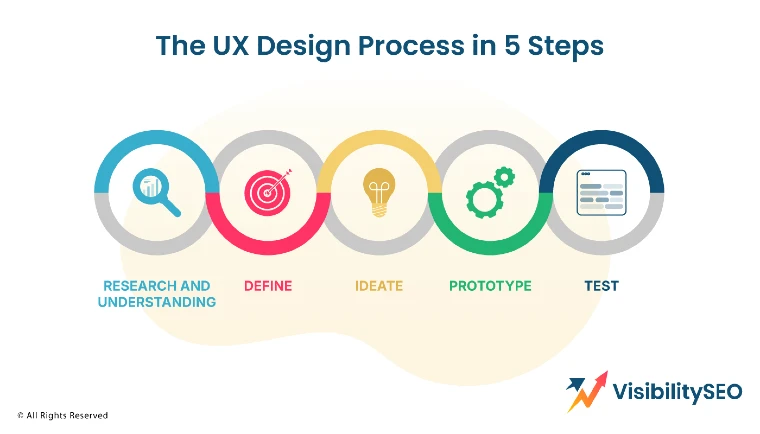
The UX design process involves stages that shape the development of user-centered products.
Research and Understanding
One of the UX designer’s typical tasks is to understand their users’ real needs. User researchers are key here — they watch, listen, and learn from user behavior and conversations. They focus on understanding users’ practical and emotional needs, prioritizing a deep connection with the problem over jumping to solutions.
- User research: Talk to people to understand what they need and what problems they face. This creates better products that solve real issues. It’s about listening and learning.
- Market research: Check what’s popular and what people are buying. This shows trends and gaps in the market. Knowing this helps you stay ahead and make smart decisions.
- Historical analysis: Study past data to see what worked and what didn’t. Patterns and mistakes teach valuable lessons. It’s all about learning from history to improve the future.
Define
In this step, you take everything you learned from the empathize phase and look for patterns. What problems or needs do users keep mentioning?
Use this information to write a problem statement, also called a point of view (POV) statement. This explains the main issues you want to solve, but from the user’s point of view—not the business’s.
By the end of this phase, you’ll have a clear problem statement that will guide your ideas and solutions.
Ideate
Got a problem? Time to brainstorm. Start throwing out ideas—don’t overthink it. What if it’s messy? That’s fine.
Creativity isn’t perfect. Try switching up your environment—how about brainstorming somewhere unexpected? Keep circling back to your problem statement. Does it fit? By the end you’ll have something. Maybe not perfect but that’s where prototypes come in.
Prototype
prototype is like a rough draft of your idea. It can be super simple, like a drawing or more advanced like a digital mockup.
The goal is to make something real that users can interact with. Prototyping helps you test your idea before putting in too much time or money.
Test
Now, let users try out your prototype. Watch how they use it and listen to their feedback. Testing helps you spot problems and fix them. If needed, go back to earlier steps like ideate or define to improve your design. This phase is all about learning and making your solution better!
UI vs. UX Design
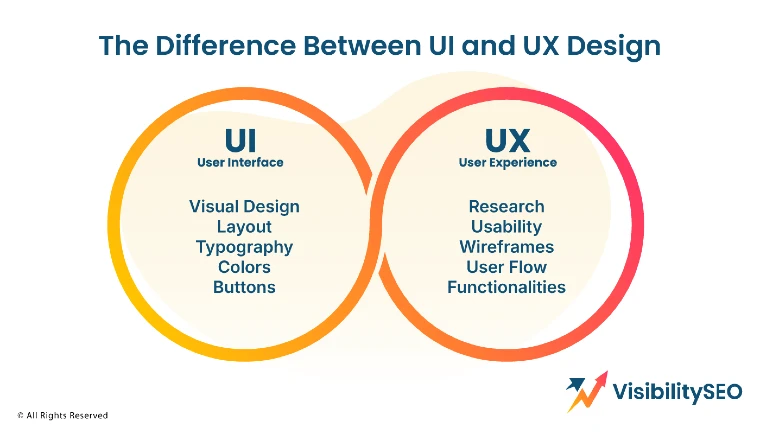
It’s easy to mix up user interface design and user experience design. They’re connected but they’re not the same. UI design is what you see and click on, like buttons, menus or colours. UX is bigger—it’s how using a product feels and works in your daily life.
Here’s an example from our work at Visibility SEO, where we build websites. If a website looks messy (bad UI), people might get frustrated and leave. Even if the content is great, the bad design ruins the experience (bad UX).
That’s why we focus on making layouts clean and easy to use. Simple changes like organizing menus or using clear fonts can make a huge difference. Good UI equals better UX. They work together to keep users happy.
What Tools are Used in UX Design?
UX designers use many tools to do their work. For wireframing and prototyping, tools like Sketch and Adobe XD are popular. Figma and InVision are great for team collaboration, allowing everyone to give feedback in real time.
For user research and testing, tools like UsabilityHub and UserTesting help designers learn what users like and don’t like. These tools help designers plan, test, and improve their designs to make everything easier and more fun for users.
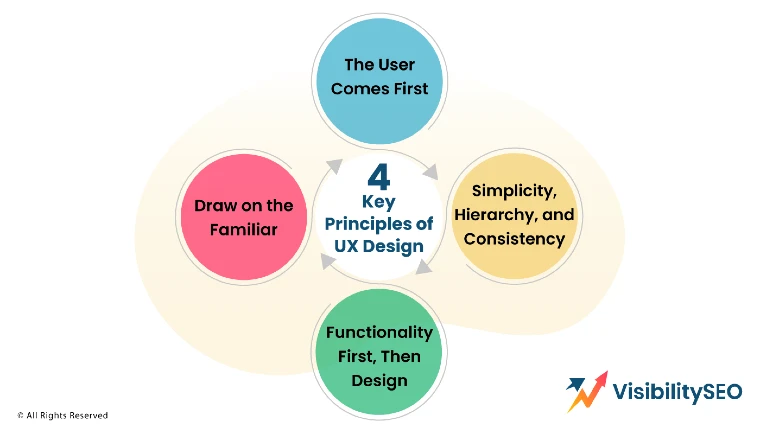
4 Principles of UX Design
Understanding the basics of user experience (UX) design helps create products people actually enjoy using.
1. The User Comes First (Always)
The main rule of UX design? Put the user first. This means understanding what users need and what problems they face. When your product solves their problems it works better and makes a bigger impact.
2. Simplicity, Hierarchy and Consistency
Good UX design is simple and easy to use. It helps people find what they need and get things done. Use clear designs and avoid clutter that confuses users.
Make sure the design has a clear order—important things should stand out. Keep everything consistent, from the look of the product to how it works. This makes users feel comfortable and confident.
3. Functionality First, Then Design
How your product works is more important than how it looks. UX is about making sure users can easily do what they came to do, like find information or complete a task. If it looks great but is hard to use, it’s not good UX. Always keep it clear and simple.
4. Draw on the Familiar
People go to what they know, right? Throw in something too new, too unfamiliar, and suddenly, there’s confusion. Why not use familiar design elements? It’s easier for them. Simpler. Smoother. Makes sense, doesn’t it?
What Does the Customer Get from Good UX?
When a product has good UX, it’s easier and more enjoyable to use. It keeps customers happy and loyal. Here’s how:
- Simplified website journey and faster user journeys – Good UX makes websites simple to use. It helps people find what they need and finish tasks quickly without confusion. Less hassle, more ease.
- Personalised experience – Great UX design tailors content to what users like and need. It makes people feel valued and engaged.
- Improved satisfaction – Easy and enjoyable interactions lead to happier customers. When people have a good experience, they’re more likely to come back.
- Seamless across devices – Good UX works on phones, tablets, and computers. Switching between devices feels natural and effortless.
- Inclusivity – Is your product for everyone? Accessibility isn’t optional. It’s about making sure everyone, including those with disabilities, can use it. That’s how you reach more people.
- Aesthetics – Looks matter. But so does usability. Can you balance both? When the design feels right and works well, people notice. They’ll stick around longer — that’s the goal, right?
- User research – UX design helps businesses learn about their users—what they like, what they find hard, and how they behave. This leads to better decisions and products.
- Testing and experimentation – Good UX? It’s never finished. You test, tweak, and test again. Feedback isn’t failure; it’s direction. The process keeps things simple, functional, and always improving.
Skills Every UX Designer Should Have
When it comes to important skills in life, certain traits stand out. These qualities help us connect, solve problems, and achieve our goals. Let’s break them down:
- Empathy: Understanding how others feel helps build strong relationships. It’s about listening, caring and putting yourself in someone else’s shoes. Empathy makes teamwork and friendships better.
- Thoroughness: Paying attention to the small details makes a big difference. Being thorough means double-checking your work and not leaving anything out. It shows responsibility and effort.
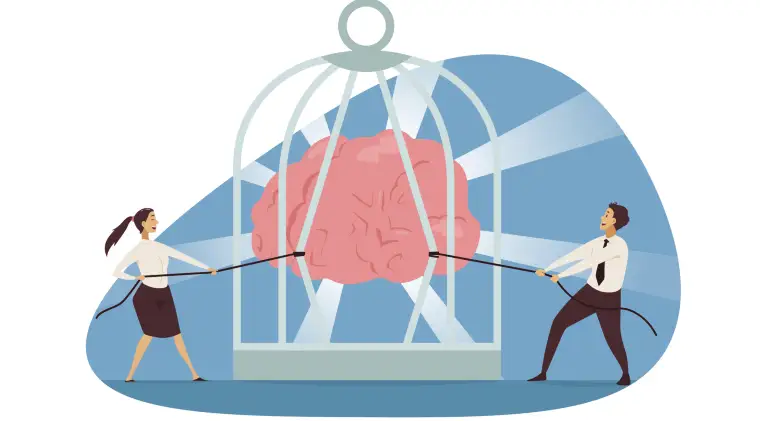
- Lean mentality: Focus on what truly matters. A lean mentality is about working smarter, not harder. It’s solving problems efficiently without wasting time or resources.
- Persuasiveness: Convincing others is a powerful skill. Being persuasive means sharing your ideas clearly and confidently. It’s about helping others see your point of view in a fair way.
- Interaction: Communication isn’t always easy, is it? But sharing ideas, truly listening, and respecting others’ views—imperfections and all—helps us connect.
- Innovation: Creativity doesn’t always strike like lightning. Sometimes, it’s slow and full of trial and error. But that’s innovation: trying, failing, and finding new ways to make things better.
- Determination: Staying focused even when things get hard is determination. It’s about not giving up and pushing through challenges. This mindset helps you reach your goals.
- Analytical thinking: Breaking down a problem can feel overwhelming at first. But asking questions, digging into facts, and piecing things together? That’s how solutions, even imperfect ones, start to take shape.
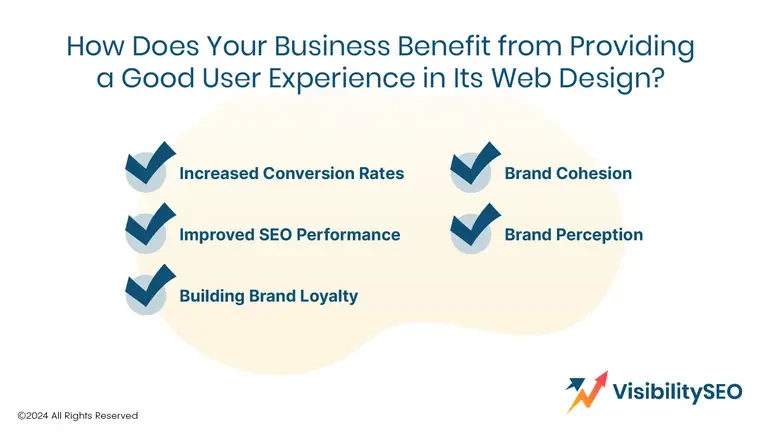
How Does Your Business Benefit from Good User Experience in Its Web Design?
A good user experience (UX) helps attract customers and grow your business by making your brand look good.
Increased Conversion rates
Good UX makes it easier for customers to buy. If they can find what they need quickly they’re more likely to make a purchase. Fewer steps to checkout mean more orders. It also keeps visitors on your site by helping them find what they’re looking for straight away.
Improved SEO Performance
Good UX can boost your website’s search ranking. Using clear image descriptions, proper headings (H1s and H2s) and making your site accessible helps search engines like Google understand your content. The better your SEO the easier it is for people to find your site.
Building Brand loyalty
When customers have a good experience on your site, they’re more likely to come back. Happy customers often become loyal ones. The easier and more enjoyable your website is to use, the more likely they are to stick with your brand—and that means more sales over time.
Brand consistency
Customers notice when your website doesn’t match your brand. Keeping a consistent look, style and tone across your site builds trust. Familiar colors, logos, and features make it clear your site belongs to your business. This makes people feel more comfortable and keeps them coming back.
Brand reputation
A well designed, easy to use site makes your brand look trustworthy and professional. It shows you care about your customers and their experience. For industries like banking or healthcare where security is key having a good website builds confidence in your brand.
5 Things That Are Killing Your UX Team
Here are common mistakes people make when building products. Let’s dive into each one and see why they matter:
- Not listening to users – Ignoring user feedback leads to big problems. If you don’t know what people want, how can you build something they’ll love? Always ask, listen, and adjust.
- Not understanding how people use the product – You can’t create a great product if you don’t understand how it’s used. Watching and analyzing user behavioor helps you fix problems and improve the experience.
- Not thinking about the future – Are you only solving today’s problems? It’s easy to forget, but products need to grow. What happens next year? Or years from now? Plan for it.
- Not doing competitive analysis – Skipping research? Big mistake. Competitors can teach us so much—what’s working, what’s not. Why ignore free lessons? Study them. Learn. Adapt.
- Not interacting (enough) with dev teams – Lack of communication with developers creates confusion and delays. Work closely with them. Share ideas, ask questions, and stay on the same page for better results.
Elevate Your Website’s Performance Through UX Design
At Visibility SEO, we know how important a good website is. A strong design makes your site easy to use and helps your visitors trust your business. That’s where we come in. We focus on usability testing and improving your site’s layout so people can find what they need fast. A better experience means happy visitors, and happy visitors keep coming back.
Want to improve your website? We’re here to help. Let’s work together to turn your site into a tool that works for your audience and grows your business. Get in touch today!
FAQs
Why do companies often advertise UX/UI roles as one?
UI (user interface) is part of UX (user experience). When you design the user experience, you’re also designing how the interface looks and works. You can’t really separate the two. As a UX designer, you might let someone else handle the visuals, but you still need to guide them. If someone designs a UI without understanding UX, it can cause big problems. And just because someone is great at visuals doesn’t mean they can handle UX. Combining these roles makes sure the design looks good and works well together.
Can you work remotely as a UX designer?
Yes, UX designers can work from anywhere. With tools for video calls, wireframing, and prototyping, remote work is totally possible. These tools help teams communicate, share ideas, and stay productive. Working remotely also means companies can hire talent from around the world, bringing in fresh ideas and perspectives.
Does UX design require coding?
Do you need to code to be a UX designer? No, not really. But it helps. It bridges gaps with developers, sparks collaboration, and even lets you test ideas. Who wouldn’t want more creative freedom with prototypes?

- SEO Consultant vs SEO Agency – What is the Difference? - June 25, 2026
- FAQ Schema: A Simple SEO Trick for Better Visibility - December 20, 2025
- What Is YMYL and Why It Matters for SEO? - December 16, 2025